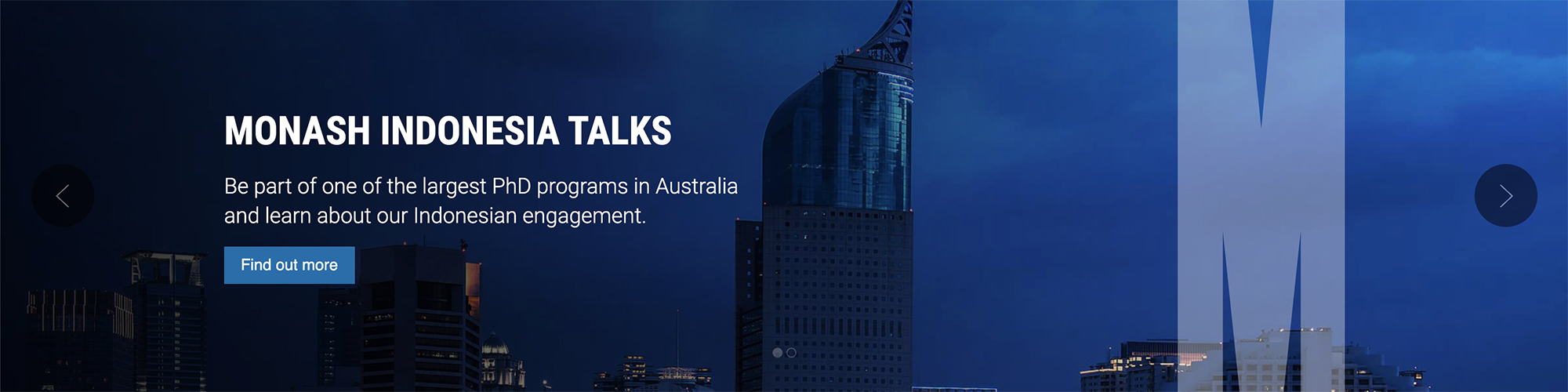
Full-width banner
Full-width banners are the primary way we highlight key content on our pages, and should only be used on landing pages. Used to promote key activities, events and news items, full-width banners are typically the first component on a landing page. You can select from a static full-width banner or carousel full-width banner.
What you can configure:
| Type | Select image or video from the dropdown |
| Video ID (optional) | If you wish to link to a video, this is where you can add the Youtube video ID. This will prompt a "Play video" call-to-action button to display below the description text |
| Heading | Enter a heading. If this field is left blank, the content container will not display and content authors will see an error message on the web page (this will not be publicly visible) |
| Text colour | Select white or black from the dropdown depending on the image to ensure accessibility |
| Link (optional) | Use the asset picker to link to another page or an uploaded document |
| Banner overlay | You can select to add a dark coloured overlay to the banner to improve the contrast between image and text |
| Description | Enter a description using the WYSIWYG editor. If this field is left blank, the content container will not display and content authors will see an error message on the web page (this will not be publicly visible) |
| Call-to-action text | If you have added a link, you will need to add in button text. This should be phrased as a call-to-action eg. 'Find a scholarship' (limit of 40 characters) |
| Image | Select an image using the asset picker. The image dimensions are W2400px by H900px. Note, these are the same image dimensions as the full-width banner. You can use SMC approved banner imagery from the Digital Toolkit. The M device will automatically be added in Squiz. If this field is left blank, the content container will not display and content authors will see an error message on the web page (this will not be publicly visible). |
| Description | Enter a description. If this field is left blank, the content container will not display and content authors will see an error message on the web page (this will not be publicly visible) |
Banner examples:
Static full-width banner

Carousel full-width banner