
Install software on Monash devices
Install software on Monash devices
Follow the steps for your device’s operating system to install software on a Monash device.
- In the search field of the Windows taskbar (at the bottom of your screen), type software, then choose Software Center from the list of results.

- Select the application you'd like to install (you can use the search function for quick results).
- Click Install.
Can’t find it in the Software Center?
Check the Software Catalogue for Monash devices. If the application isn’t listed as available for Monash devices, you won’t be able to see it in the Software Center or install it on your Monash device.
If the Catalogue lists the software as available for Monash devices and you still can’t find it, submit a request to have the software installed.
To install Monash-managed software:
- Launch Self Service from the top menu bar.

- Click Get Software.
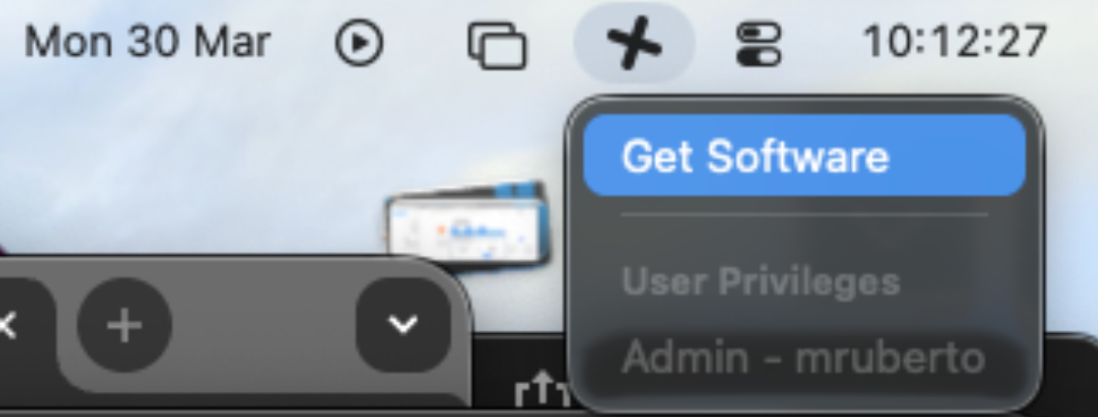
- You’ll be prompted to sign in through Okta (you might need to sign in twice).
Once signed in, you can either search for the app you need in the top left corner:
Or you can view the entire catalogue of apps by clicking Catalogue then All: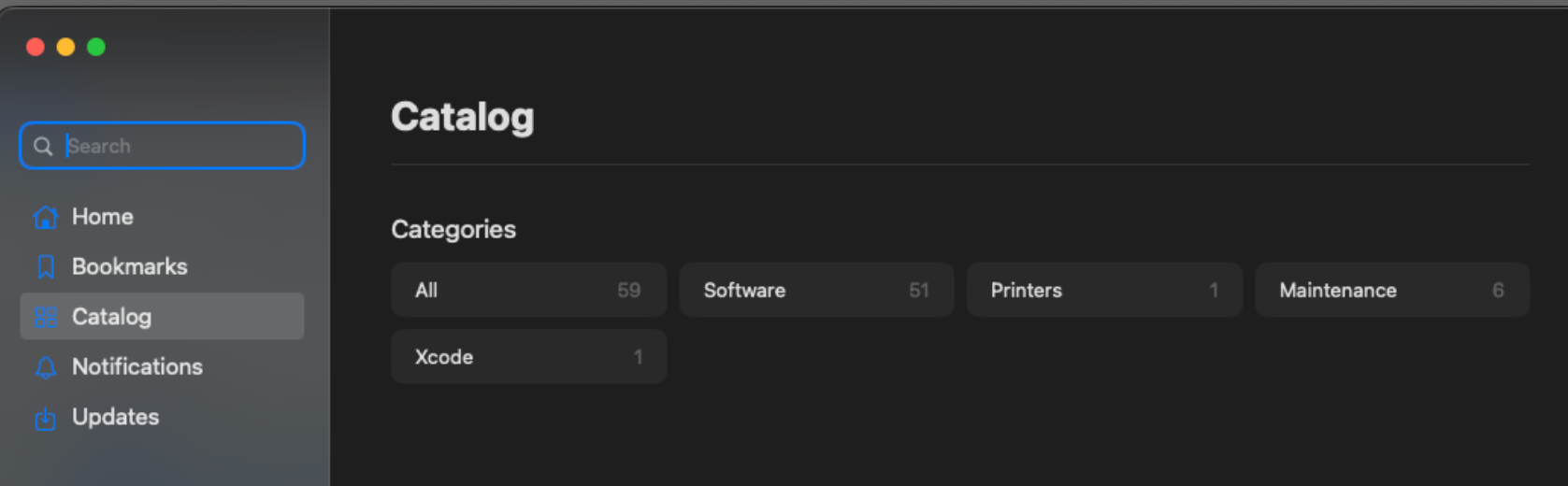
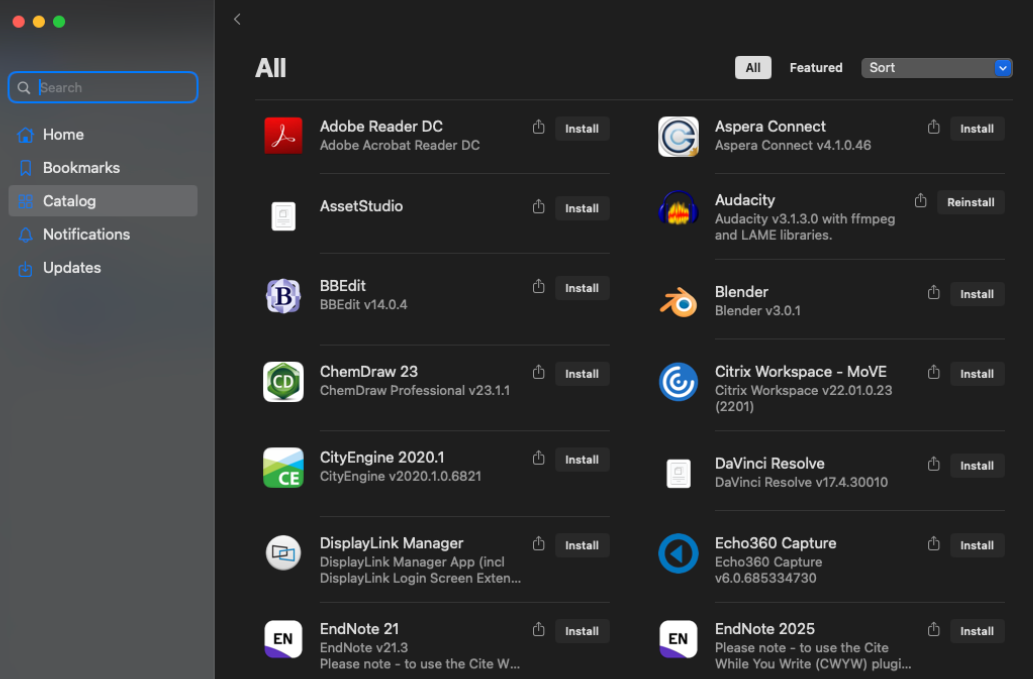
Can’t find it in Self Service?
Check the Software Catalogue for Monash devices. If the application isn’t listed as available for Monash devices, you won’t be able to see it in Self Service or install it on your Monash device.
If the Catalogue lists the software as available for Monash devices and you still can’t find it, submit a request to have the software installed.
To have software installed on a Monash device running Linux, submit a request to the Service Desk.