Shared mailbox
Students
Staff
Research students
Shared mailbox
A shared mailbox is an easy-to-use solution if you need to send and receive emails using only a web browser on a computer.
A shared mailbox can have the same email address as the role account, but you don't need a separate login. You’ll have delegate access to a shared mailbox.
Limitations
- Can be accessed by up to 25 users
- Only accessible using a web browser on a computer; not through email applications such as Outlook
- Can't be accessed through mobile devices
- Only works for mailboxes (not with calendars, docs, other Google Apps or mail merge tools)
How do I access a shared mailbox?
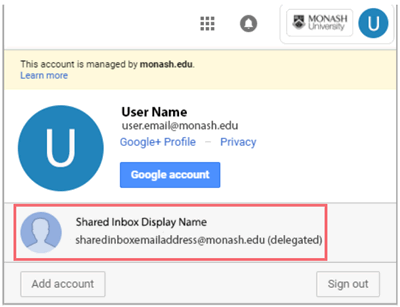
Once the role account is converted to a shared mailbox, you'll receive delegate access to the inbox. It will then appear in the accounts list in the top-right of your Gmail view.
- Log in to your individual Monash staff Gmail account.
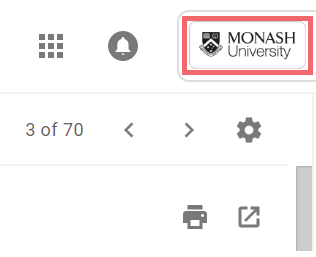
- Click the Monash University logo in the top right-hand corner.
- Select the shared mailbox from the list of inboxes.
Sending email from a shared mailbox
Emails are sent the same way as from a role account.
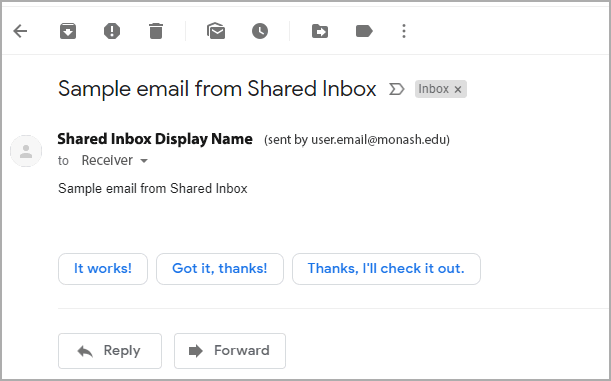
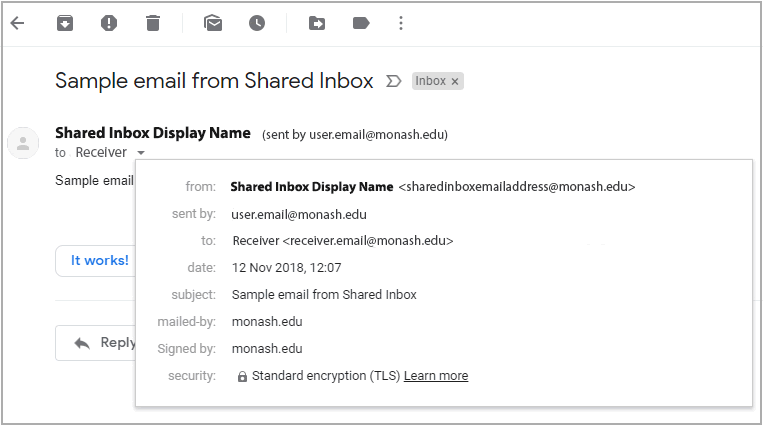
Recipients will see that the email was sent by you through the shared inbox – the shared inbox name and sender's email address is displayed in the email header.