
You can check how much disk space is currently available on the system by opening your terminal and running the disk free command:
Bash
df -h
(The -h flag makes the output human-readable, showing sizes in GB or TB). If the drive is full, please archive old data to the S-Drive or contact support.
Alternatively, run the installed Disk Usage Analytics tool. The local disk will be represented as ‘/’
Since this is a shared environment, you may occasionally see remnants of previous sessions. Do not modify or delete another researcher's data. Please flag it in the AI Co-Lab Community Forum so an administrator can safely move or clear it.
If you need to install system packages, go to the AI Co-Lab Community Forum and let us know what you need access to – we can load this for you.
We are unable to provide sudo access during the testing phase. Please use Miniforge, Pip virtual environments, or rootless Docker to manage your dependencies in userspace.
Since these devices are in a shared lab, we will likely be wiping them periodically, but we have not yet determined how frequently we will do that. Any data or code you want persisted, you should be able to access the S-Drive and an AD home directory from the GB10 devices. This is the safest place for storing between GB10 sessions, whether or not you get the same device or a different one. All users will be notified before data is wiped via our user group management
The SSH service is not enabled by design. The workstations are intended to be used while seated and logged into one directly.
The SSH NVIDIA sync app will not work.
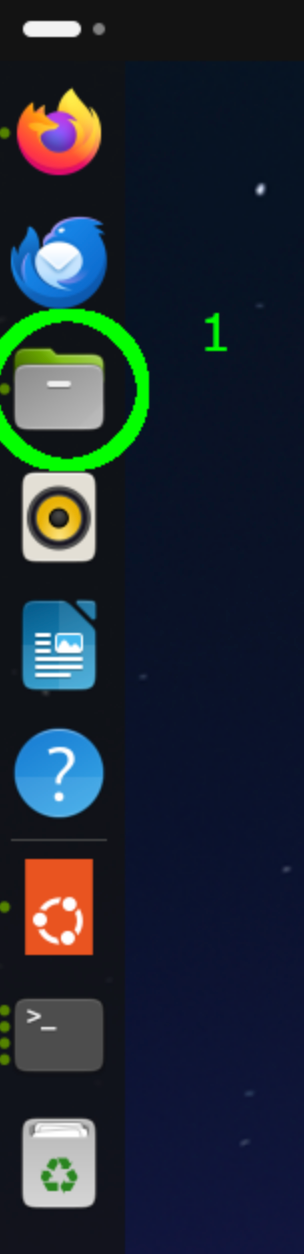
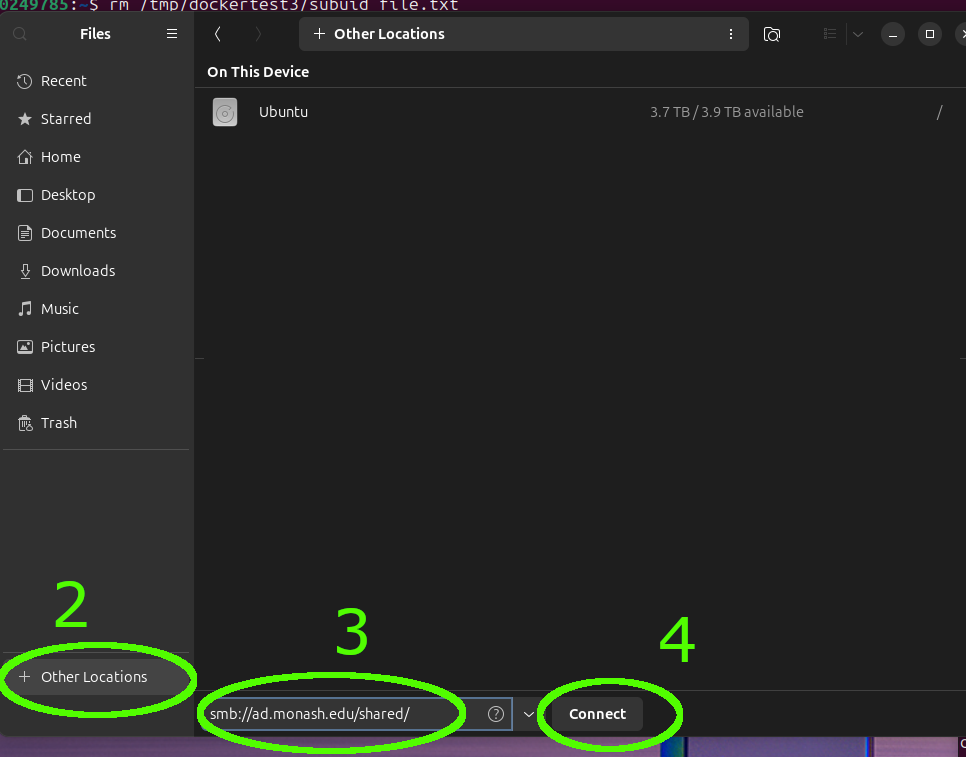
In the Files application:
smb://ad.monash.edu/home/ in the Connect to Server field,smb://ad.monash.edu/shared/ in the Connect to Server field,When prompted for credentials:
After successful authentication:
Yes, even if it is for a short period of time, it is recommended that you lock the desktop.
If you come to use a GB10 and find that it is locked and already in use by another user, please select another available device rather than logging the existing user out.
Background jobs can be left running where reasonable, including overnight jobs. However, the GB10s are shared resources, so long-running jobs that occupy a device for several days may not be appropriate.
Important: Users should also be aware that scheduled maintenance or patching may interrupt running jobs, so jobs should be designed to checkpoint/save progress where possible.