
Lean Library browser extension for staff and students
Lean Library is a free browser extension that helps you access Library resources while searching online.
When you search on platforms such as Google, Google Scholar, PubMed, or publisher websites, Lean Library will detect articles, ebooks and databases available through the Library. A pop‑up will prompt you to log in with your Monash account and take you straight to the resource – no need to check the Library catalogue first.
Download the extension
Follow these 3 steps to download and setup the extension for your browser:
- Download Lean Library extension
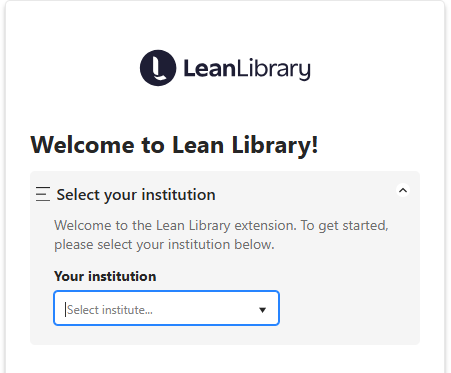
- Select Monash University as your institution
- Pin the extension to your browser's toolbar to keep it visible
(Here's how: click on 'Extensions' icon in your browser, then click on the 'pin' icon next to Lean Library)
If you need help downloading and setting up the extension, see download instructions.
Key features
Lean Library extension offers features to make your research easier, such as:
- Find publications available via Monash subscriptions
Identify journal articles, books and book chapters available through Monash University Library, and get direct access to full-text. - Find open-access versions
Get an alert when a free public version is available. - Generate citations
Create citations in multiple styles. Always check formatting using the Library’s Citing and referencing guides. - Enhance Google Scholar and PubMed
See which articles are available via Monash – it adds "ViewIt@Monash Uni" in Google Scholar and "Check for full text" in PubMed. - Improve highlight-and-search
Highlight text, right-click, and select "Search in Library Search" to find results instantly.
For more information, see What is the Lean Library Extension?, or watch this quick overview video explaining how it works.
Note: Monash University Library doesn't currently support Lean Library Workspace.

Lean Library for Monash alumni
The Lean Library extension shows Monash-subscribed content to anyone who installs it and selects Monash as their institution. To access full text, you’ll be prompted to log in with your Monash account.
If you’re an alum, you can still use Lean Library, but your access will be limited to the databases available through the Monash Alumni portal. This means that some articles may not be available to you when you click 'Get Access'. The good news is that Lean Library will also alert you if a free, open-access version of the article is available, so you can still read it even if it’s outside the alumni collection.
To check what alumni can access, visit the Monash Alumni page.
Your data and privacy
Lean Library won’t collect your personal information unless you choose to share it. For further details on data collection and privacy, refer to the Lean Library Privacy Policy.
Getting help
If you need help with installation or using the extension, the Lean Library Support website provides advice across a range of topics. View the Getting Started page.
If you need further help from one of our librarians, please email librarians@monash.edu.