
Photography
Our photography has a photojournalistic style that visualises our brand personality: authentic, ambitious and fiercely purposeful. Imagery should feel raw, authentic and show the humanness of the brand.
By defining a clear style with a bold creative direction we differentiate ourselves from other universities and brands.
Photography brings colour, authenticity and depth – grounding communication in real, human context.
Where possible, our choice of imagery showcases the University's commitment to sustainable practices, for example, an image of students holding reusable rather than single-use coffee cups.
We celebrate our diversity and our imagery should reflect this. It’s important that everyone can see themselves in our brand.
Photographic style
Monash photography captures the people, places and ideas that shape our university community.
Our photojournalistic style creates consistency between our everyday brand and major campaigns. Images are to be candid, authentic and they need to depict real-life scenes.
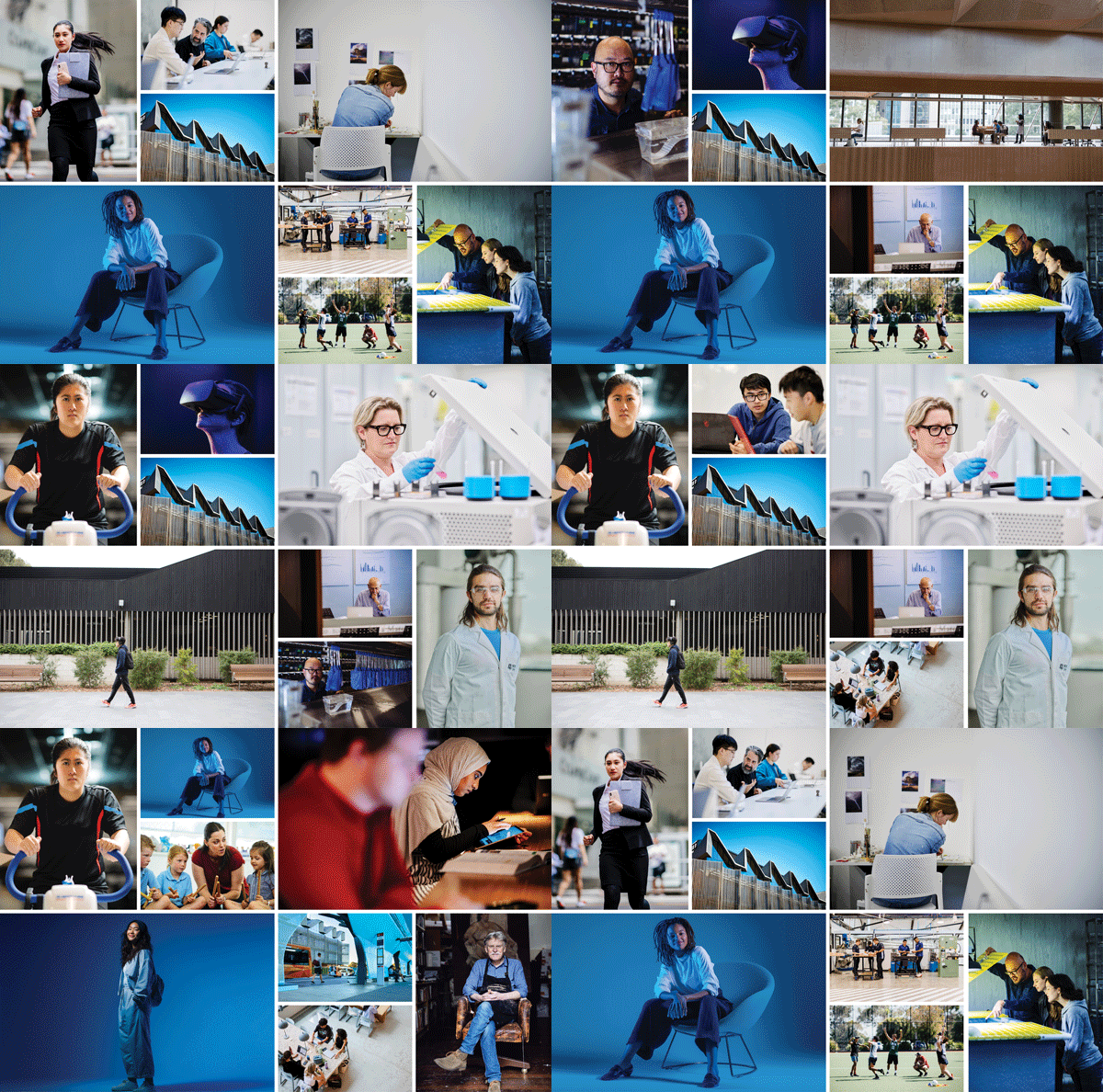
Reflecting Monash values in imagery
Photography subjects
Our people are authentic, diverse, active, ambitious, fiercely purposeful, engaged in their surroundings, genuine and friendly, optimistic, collaborative and focused.
1. Everyday people imagery is to be raw, authentic and should capture students and staff in the act of learning, discovery and research. This photojournalistic style shows the humanness of the brand. Images should feel observational, capturing real moments of focus, experimentation and collaboration. The emphasis is on the action taking place and the environments where knowledge is explored and created.
Move away from conventional, generic student imagery of happy smiley faces staring directly at the camera for everyday shots.
Everyday people images can be used as an identifying feature for disciplines/courses. Touches of Monash blue and/or blue tones should be present.

Our everyday people
2. Everyday portraits of students and staff of Monash that capture an authentic sense of self ties in with our photojournalistic style – raw, authentic and evokes a sense of bravery.
Everyday portraits can be used to feature our people and highlight human stories for application in Monash Life, campus life and testimonials.

Our everyday portraits
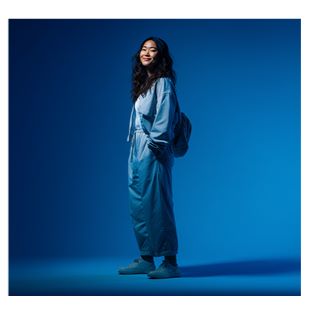
3. Hero portraits present confident, authentic individuals in a bold, studio-led style. These images are used across high-level campaign materials to create a strong, recognisable Monash visual presence.
This approach is defined by the saturated use of Monash blue and tones of blue that align to our colour palette. These images are created using a controlled studio environment to produce a clean, striking and contemporary look.
Subjects should appear natural and confident, dressed in primary or secondary brand colors to ensure authenticity. By utilising controlled lighting and crisp contrast, these images establish a clean, contemporary, and highly recognisable style for the university.
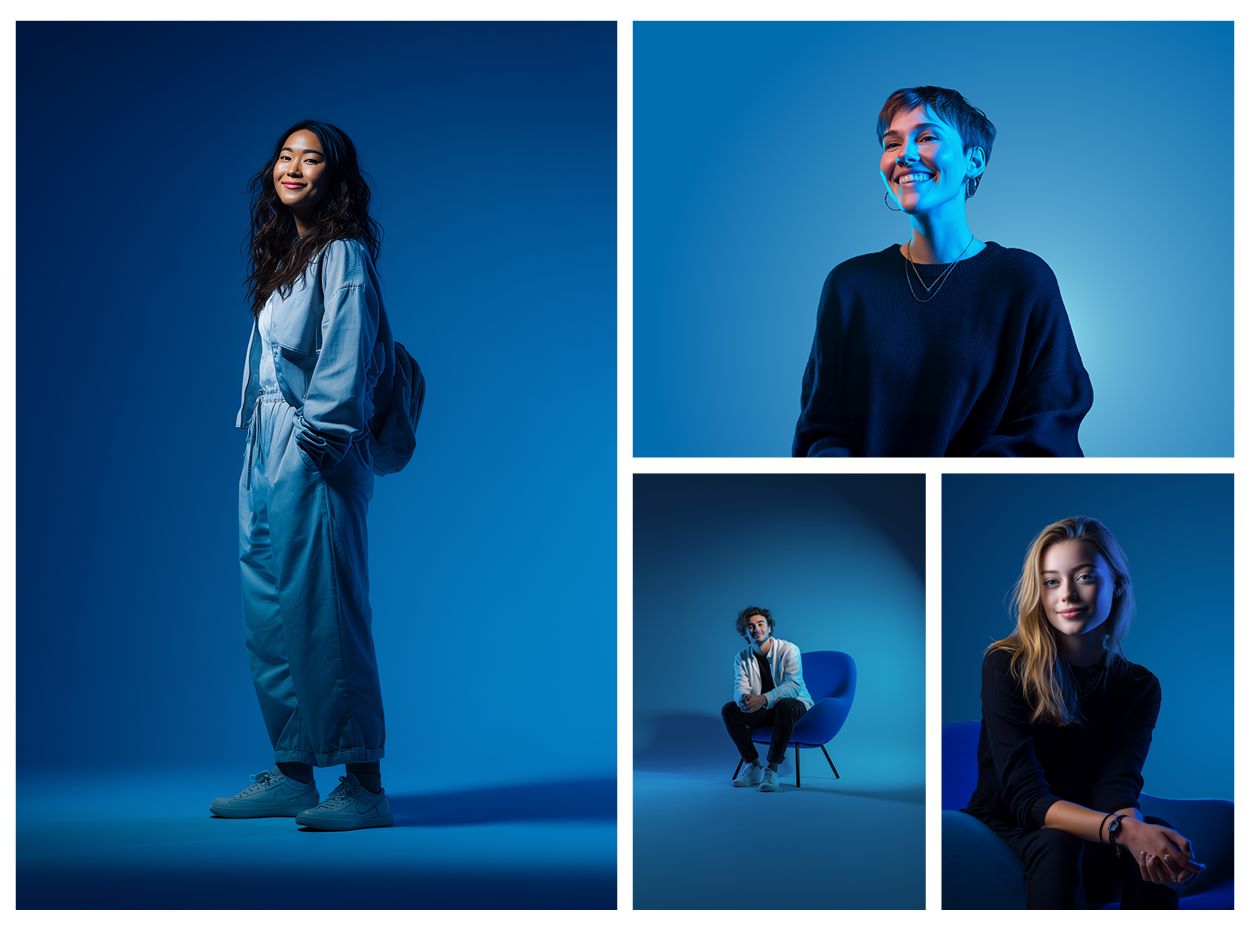
Hero portraits: for high level campaigns
Examples only. Images have been created using AI
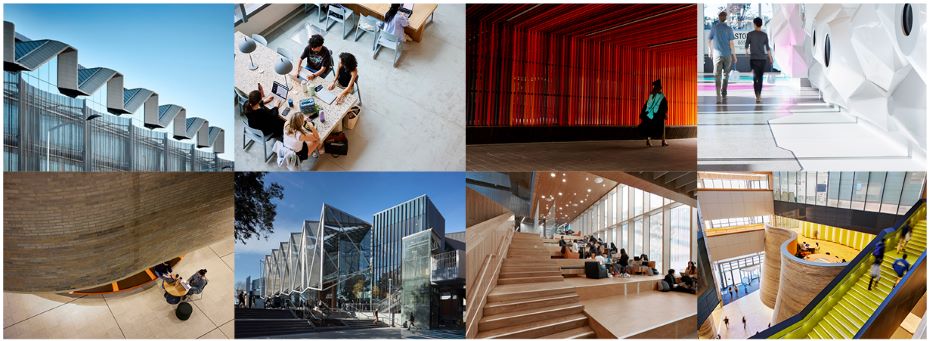
Capture the vibrant energy of our campuses by documenting authentic, spontaneous moments of student life within our innovative architectural spaces and our numerous green spaces. Focus on candid interactions and diverse everyday experiences, such as studying, travelling, or socialising etc to ensure images feel lived-in and relatable rather than staged.
Utilise dynamic angles and unique perspectives to showcase our cutting-edge facilities in action, using human presence to provide scale and connection. To maintain brand consistency, subtly incorporate Monash blue and supporting palettes through clothing, lighting, and environmental accents whenever possible.
In saying that, we do acknowledge sometimes there is a need to shoot pure architectural ‘utility’ shots where striking angles, interesting perspectives and layered textures dominate the shot.
No content
No content
No content
No content
Application
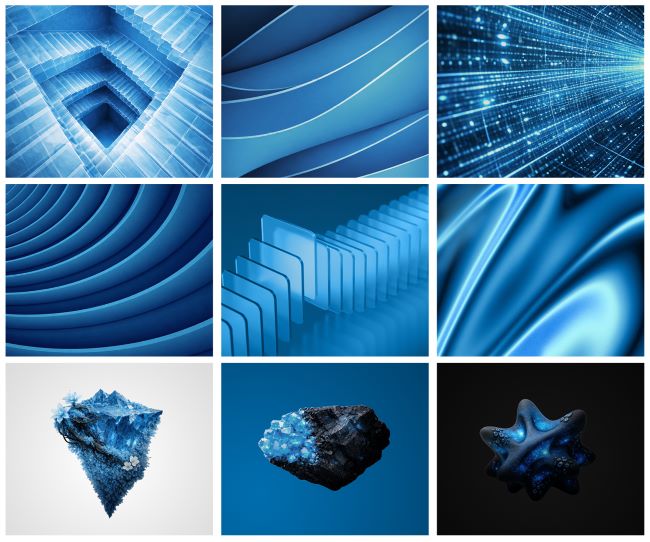
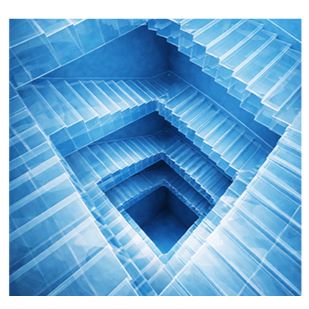
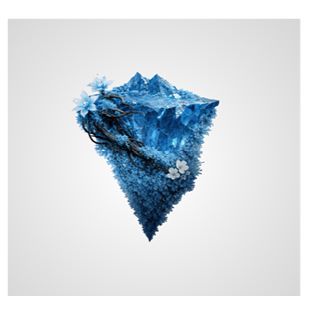
Abstract imagery such as blue colour tones, objects, patterns and textures work really well in banners and with the M device. Abstract imagery also delivers visual impact and offers a more conceptual and expressive way to communicate ideas across Monash.
Apply abstract textures and scenes that feel modern and contemporary. They are to show a sense of movement – speaks to progression. This approach focuses on materials, forms, surfaces and details to represent themes in an abstract or symbolic way. It can support storytelling, without relying on people as the primary subject.
It can include:
- Close up textures, materials and environmental details.
- AI generated imagery/patterns/textures/lighting effects where appropriate.
- A more abstract interpretation of subject matter.
- 3D objects and renders used to bring themes to life in a thoughtful, dynamic and abstract way.
Abstract images are to be blue and Monash blue must be present. Blue tones are permitted, but Monash blue must be highly visible.
When selecting suitable imagery to use with the ‘M’ device, ensure that the image can be contained within the ‘M’ or used creatively with the ‘M’. Abstract images work really well with the M device.
People and real settings can be used within the ‘M’, but not all shots will be suitable. The positioning of the ‘M’ shards must be considered as we don’t want faces being compromised. Ensure there’s enough contrast between the 'M' and the background.
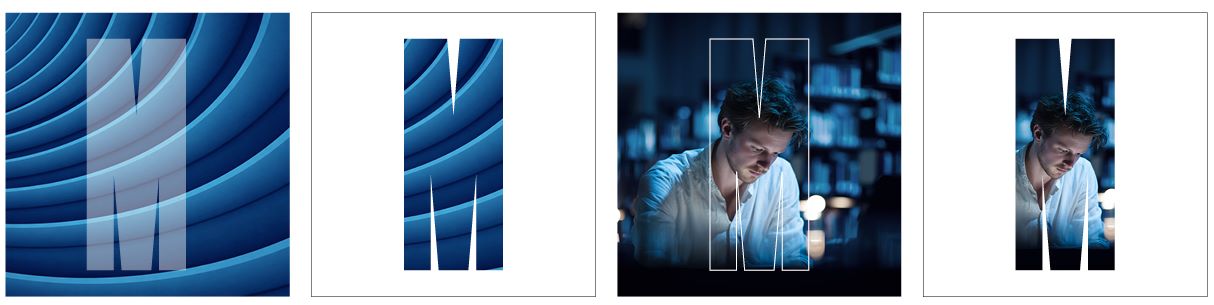
Captions left to right: Transparent M over abstract image, abstract image contained within the M device, real person shot interacting with the M device and real person shot contained in the M device. Note: shards of the M device do not impact eyes or other facial features.
Monash blue must dominate all of our communications. There are a number of ways Monash blue can be incorporated into our photography/imagery.
It can be:
- Blends or washes over or behind image subjects
- Included in the lighting, styling of a shot or as a prop e.g. the subject could be wearing a blue shirt or sitting in a blue chair
- Used as a base in blue abstract imagery
More examples as to how blue can be incorporated into our imagery can be found on the 'Colours' page.
Stock imagery should not be used to represent Monash staff, students or facilities. Only use original photography. Stock photography may be used for abstract imagery for example on banners, or for everyday objects.
When looking for a stock image, please use the below checklist.
- Does the image feel genuine?
- Is there a feeling of positivity?
- Is the image telling or contributing to the story?
Using prompts to create AI imagery
AI imagery is a powerful complement to stock or commissioned photography, offering flexibility and cost-efficiency while enabling creative concepts that may be difficult, or time-consuming to produce traditionally.
How to write a clear prompt
- Don’t forget to caption any AI generated images eg this image was generated using AI.
- Using AI to generate or manipulate images of real people is NOT permitted.
- The creation/manipulation of Monash brand elements such as the Monash logo is not permitted.
- Start with a clear vision of your subject and describe it with specific, vivid details.
- Define the setting, mood, lighting, composition, and artistic style rather than relying on generic terms.
- Use precise visual cues (e.g., “soft cinematic lighting,” “wide-angle perspective,” “minimalist background”) to guide the result.
- Keep prompts focused and intentional, avoiding unnecessary clutter.
- Refine through iteration – adjust small details each time to progressively improve clarity, realism, and impact.
For more information regarding the use of AI at Monash University, please visit the Artificial Intelligence page.
 | 
| 
| 
|
| Prompt: Full length composition of a stock image representing a student, dressed in a light blue jump suit and contemporary trainers, looking at camera with a subtle smile, low angle view, soft lighting across face and front of body, standing sideways, in a blue environment, HEX #006DAE. | Prompt: Stock image representing a student in a medical lab, wearing blue, HEX #006DAE under a labcoat and safety glasses, candid style, working on a biology model, subtle use of soft blue and lighting in the background, shallow depth of field, shot with a 35mm lens. | Prompt: Beautifully rendered, highly realistic product photo of an Escher style Blue staircase coloured HEX #006DAE, disappearing into a blue void. The staircase must be formed around four internal sides of a square, as if looking down to the ground floor of the building. The stairs must be made of a clear perspex. Exaggerate perspective to the staircase with a high angle view, looking down. | Prompt: Hyper-realistic product photo with 3:4 aspect ratio, capturing a fragment of cracked blue ice crystal shaped like an inverted organic pyramidial form, HEX #006DAE, floating in mid-air, jagged edges catching light, twisted blue stems with blue moss and lichen growing on the surface of the structure, translucent blue flowers and black roots, small imperfect crystal fragments, soft diffused lighting, photorealistic Cinema 4D. |

When photographing your subject, the imagery should be:
- Natural, honest and real
- Photojournalistic
- Desaturated in colour
- Unposed, reflecting real people, University life, scenarios and subjects
- Shot in colour
- Shot in landscape to meet responsive requirements
- Allow plenty of space around main subject
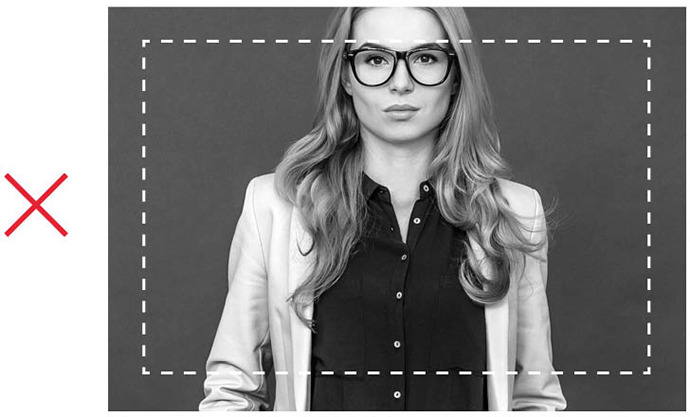
When photographing your subject, the imagery shouldn't be:
- Unnatural, fake and posed
- A stock image - Note there are some exceptions, please refer to this checklist if this is the case
- In black and white
- Compromising how your subject is positioned ie. no cropped body parts
Sourcing images
Bynder is Monash University’s Digital Asset Management (DAM) system and is available to all Monash staff.
Bynder houses over 2000 on-brand and approved images available for staff to search, download and use. We also encourage business areas across the University to begin migrating their local collections of assets into Bynder.
In addition to housing on brand photography, Bynder also contains branding and visual identity assets, videos, audio files, graphics and more.
Key features and benefits:
- Search for assets using common words such as campus location or content themes.
- Have confidence that all assets uploaded into Bynder are brand approved with appropriate consents in place.
- Improve collaboration and leveraging of shared assets between business areas across the University.
- Reduce costs of asset re-creation or risks of asset loss by storing assets in one central location.
How to access Bynder
Bynder is available to all University staff, and can be accessed after completing the relevant training module in myDevelopment. Once training is complete, prompts will guide you to access the system via single sign-on (SSO).
External suppliers will need to request images from their Monash requestor.
More information on Bynder can be found on the UMAC intranet.
Organising a photo shoot?
The photography guide offers great tips to ensure your photo shoot runs smoothly and your final images are in line with the Monash University photographic style.
Other recommendations
- Ideally, all images should be 300dpi for print and 72dpi for web to ensure the highest-quality output.
- Images should always be shot in colour.
- For higher-level, more formal publications, headshots may be changed to black and white to convey prestige.
- Ensure you've reviewed the legal requirements and responsibilities for imagery including copyright and consent.