
Social media
Social Media
We use social media to build and engage our global community while demonstrating to our audiences the breadth and depth of Monash University.
It’s important all our socials represent, support and enhance the Monash brand. Social media evolves rapidly, so it’s crucial account/page managers are agile and engaged, ensuring their channels reflect current campaign messaging, and content is optimised for the right audience and channel.
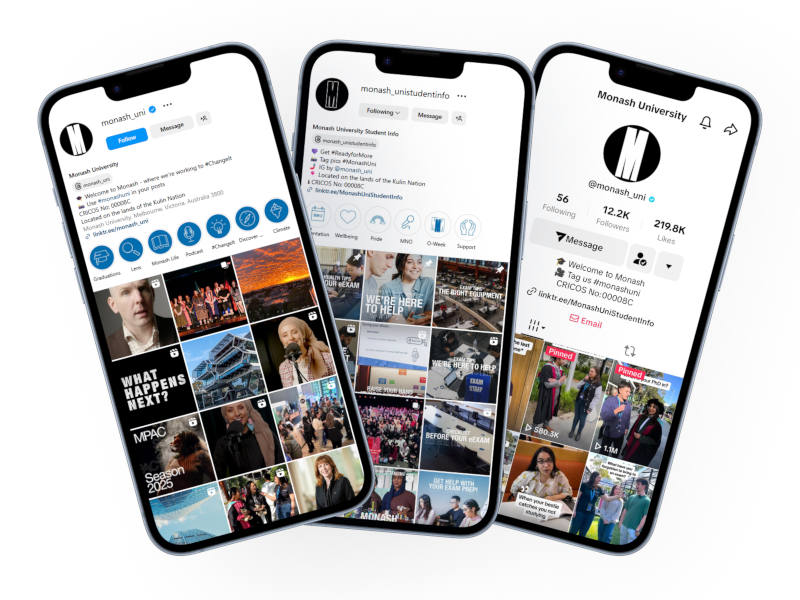
University Marketing, Admissions and Communications (UMAC) manages the University’s overarching brand LinkedIn, Facebook, X, Instagram and YouTube channels as well as the student-facing TikTok and Instagram accounts. Serving different purposes, these hero accounts are used to engage with our various audiences, including future students, current students, alumni, external stakeholders, and the wider community.
Content
The content we produce and share across our hero channels is varied, yet platform and audience appropriate. All Monash content falls under our social pillars below.
Monash University Brand content pillars
| Announcements | Thought leadership | Events | Inspire | Community support |
|---|---|---|---|---|
|
|
|
|
|
Monash University Student content pillars
| Inform | Events | Inspire | Community support |
|---|---|---|---|
|
|
|
|
When creating content for social, always consider accessibility and your audience ensuring any posts are on-brand in terms of tone of voice, font, colours, etc. When posting on our own approved channels, the Monash University logo isn’t required. If space allows, images can include the use of the M device with correct specifications applied. You can see an up-to-date image specification guide here.
To have your content* amplified on the University’s hero channels, please complete the request form here.
*Note; due to the strategic nature of the University’s hero channels the social media team has final approval on all content deployed across the Brand and Student channels. Please speak to the team before having your content created so it aligns with their approach. The team will not accept visual assets with QR codes, overuse of text on assets — no more than 20% text and stock images that do not represent or reflect the Monash brand.
Social media page structure
The University has a tiered structure in place to maintain and manage our social media presence. There are four tiers to the structure, visually represented below.




Social media assets and profile pictures
To ensure consistency across our digital presence, UMAC can assist with supplying on-brand imagery and assets to enhance the look and feel of your Monash social account.
Please refer to the tiered structure above to identify which ‘M' logo should be used as the profile picture/avatar. If you’re unsure which tier the social account sits under, please reach out to socialmedia@monash.edu to confirm.
No text or logos should be placed on cover images, unless approved by UMAC.
You can download your profile picture and cover images here.

New social media accounts
Launching a new social media account
The first step to launching a social media account is to seek advice from the social media team on which channel will be most effective for your audience, before submitting a page request launch.
Before approaching the social media team to discuss your new account, please ensure you’ve considered the following:
- Who’s the target audience?
- Is this target audience unique, or is there an existing page that reaches that audience?
- What’s the goal of your social media channel and presence?
- Will I/the team have capacity to continually monitor the account?
- Do I/the team have enough capacity to create social media content in an ongoing manner?
Please note that requests for emerging technologies and social media channels outside the social media team’s scope – Facebook, Instagram, X, LinkedIn and Tiktok – will require further information and analysis.
Account security
We take brand safety online very seriously. To ensure any account associated with Monash University is protected, we strongly recommend all people who use social media have two-factor authentication activated. This helps minimise the chances of your account becoming compromised. We’d also recommend you use unique passwords for each account – please refer to this article from eSolutions for more information.
Social media optimisation and best practice
Every social media channel is different, and audiences use them for different purposes. Optimising your social presence ensures your audience receives the information that’s valuable to them and shares your message through their networks.
Every brand’s presence on social media is unique to that brand. They have highly defined audiences and channel mixes tailoring compelling content to their followers.
There are a few guidelines you should follow to ensure your content is optimised for the best performance. This builds loyalty with your audience and most importantly, stops the thumbs from scrolling and engage with your content.
Know your audience
Remember, it’s not about you, it’s about your audience! You’re creating content for your followers, so think about your posts and how you want your followers to consume or act on your content.
When drafting your posts answer the questions below:
- Who is your target audience? Students? Alumni? Industry partners?
- Where are they? Domestic? International?
- How old are they? Different age demographics use different platforms
- How do you resonate and relate with them? What can you do for them?
- What is your call to action? Like? Comment? Share? Visit the website?
- What will it take to provoke that action?
- Am I being authentic? Does it emote?
This will inform the way you talk with your audience, the channel and the creative. Social media platforms provide you real-time insights and performance, use it to your benefit! The more your audience engages with your content, the more you will appear in their feeds.
Choose the right channel
You need to be where your target audience is, so make sure to choose the right channel. If your audience is Academics, you would not create a TikTok account and if your audience is students you would not create a Facebook page. Best practice is to choose one or two channels and do them really well rather than spreading yourself across all channels.
 | The storytelling platform. Facebook (Meta) is the biggest social network. From events to announcements, a balanced content mix is key. The Facebook audience is older, more vocal and talkative. So put your best foot forward as users will always have an opinion. |
 | The visual gallery. Instagram (Meta) is the visual platform While there’s space for a content mix, inspirational portrait images and Reels/videos should be your primary content with graphics and text secondary. |
 | The breaking news platform. X is known as the ‘instant’ platform and moves at a rapid speed. Information is designed to spread fast and X has become the hub for trending topics, alerts and announcements. Short sharp newsworthy pieces are prioritised on this channel. |
 | The professional networking platform. LinkedIn is a professional channel designed to build professional relationships and networks. University updates, leadership appointments, alumni related content, announcements, research, thought leadership and general wins all perform well on this channel with portrait photo, photo albums and videos. |
 | The humorous video platform. The channel with the youngest of all audiences, TikTok's primary objective is to entertain with raw and real camera phone videos and memes. Polished, professionally produced content simply doesn't resonate with TikTok audiences. |
Branding and accessibility
Become mobile-first, always maintain a feed of high-quality visuals, and consider accessibility when posting content. Ensure all posts are on-brand in terms of tone of voice, font, colours . When posting on our own approved channels, the Monash University logo isn’t required. If space allows, posts can include the use of the M device. Make sure captions are on brand and are applied correctly.
When requesting amplification on the University Marketing, Admissions and Communications (UMAC) managed Brand and Student accounts, understand that those channels have their own tone of voice, content pillars and design themes which are to be adhered to, especially with endorsed UMAC campaigns.
For more information, visit the Brand Book website .
When to post?
Social media feeds are no longer displayed in real time. Algorithms favor content with high engagement, meaning the more your content resonates with your audience the more people will reach.
Your number one priority is to get your audience to engage with your content - like, share, comment. How? post when the audience is online! Lean on analytics to understand when your audience is most active, and focus your posting schedule around it.
Content optimisation: Length, formatting and creative
Best practice and guidelines for all Monash socials
- Produce mobile-first content
- Prioritise portrait 4:5 and 9:16
- Prioritise strong photos and videos, limit using Canva graphics and large bolded text
- Create a unique Tone of Voice – remember ‘social’ media is where you play with your brand. Ask yourself, if my Faculty/Department was a person, who would it be? And apply that personality to your TOV.
- Keep copy simple and use active language — avoid words such as thrilled, proud, excited, delighted, we’re honoured, we’ve been awarded etc
- Keep captions short and simple. Don’t use fluffy or corporate jargon – write for an 8 year old! learn more about tone of voice
- Don’t write in all caps
- Keep it casual and light hearted
- Keep the colour scheme clean and consistent. Learn more about brand colours
- Make it actionable. What action do you want your audience to take? E.g. ‘Read Story’
- If not actionable, make it engaging.
- Include recognisable images and avoid stock images that do not represent Monash
- Use high-quality images. Do not post blurry photos or low resolution videos
- When posting on your own approved channels, the Monash University logo isn’t required
- Avoid using creatives that don't accurately reflect our brand or message
- Do not put QR codes on your visuals. Users cannot scan the code from the mobile device they are viewing it on.


