Manage Forum discussions
At a glance
Manage forum discussions by viewing discussion topics, posting and replying, and organising threads through pinning, locking or starring. Explore how to link directly to posts, adjust notification settings, and restrict forums to specific tutorial groups to support group activities and clearer forum management.
Jump to these sections:
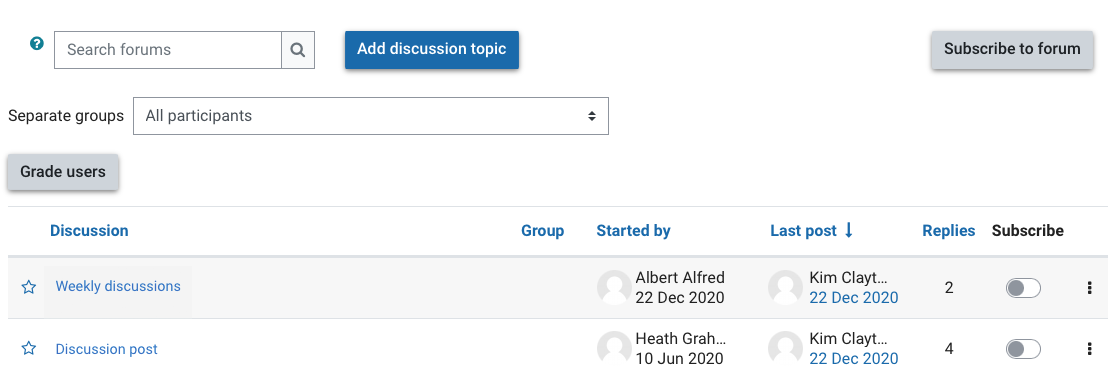
When you select the forum activity, you will be able to see a list of discussion topics that have been added. This list shows:
- A list of discussion topic names
- Creator of the discussion topic
- Number of replies
- Poster of the most recent post in the thread.
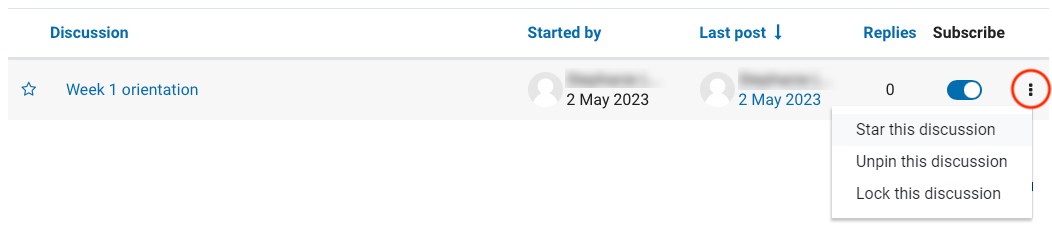
- You can toggle subscription on and off with the switch in the Subscribe column.If you are subscribed, you will receive email notifications for any replies or posts made in the thread.