
Letter grade display
At a glance
Choose and change how grades appear to students in Moodle, including real, percentage, letter or combined displays. Explore how to set the default display for the unit total and all assessment activities, adjust the student view for individual assessments, and switch results back to numerical marks after the Board of Examiners process.
Grades in Moodle can be displayed in a number of different formats.
- Real - Actual grades (based on the total possible marks given for assessment items)
- Percentage - Actual grades scaled out of 100
- Letter - Letters used to represent a range of grades. Letter grades are based on the Monash default ranges. Custom letter grades can be created, but this is NOT recommended.
- A Combination of two of the above types with the secondary grade type displayed in brackets. For example, Letter (Percentage).
By default, the grade display type is Letter (real).
Change default display settings in Moodle
You may wish to display the letter grade to students instead of the default numerical grade. You can do this for the unit total, individual assessment items or for all assessments during the semester in a unit. This guide will cover how to change the Moodle unit settings to display letter grades at a unit or activity level.
Note: Numerical grades are still calculated and stored for each student in Moodle. The letter grade displayed to students is based on Monash’s standard scale (HD/D/C/P/N). You will still be able to see the numerical value for assessment tasks.
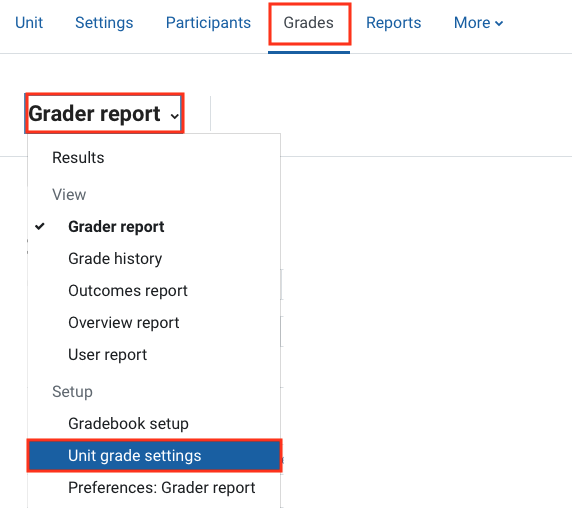
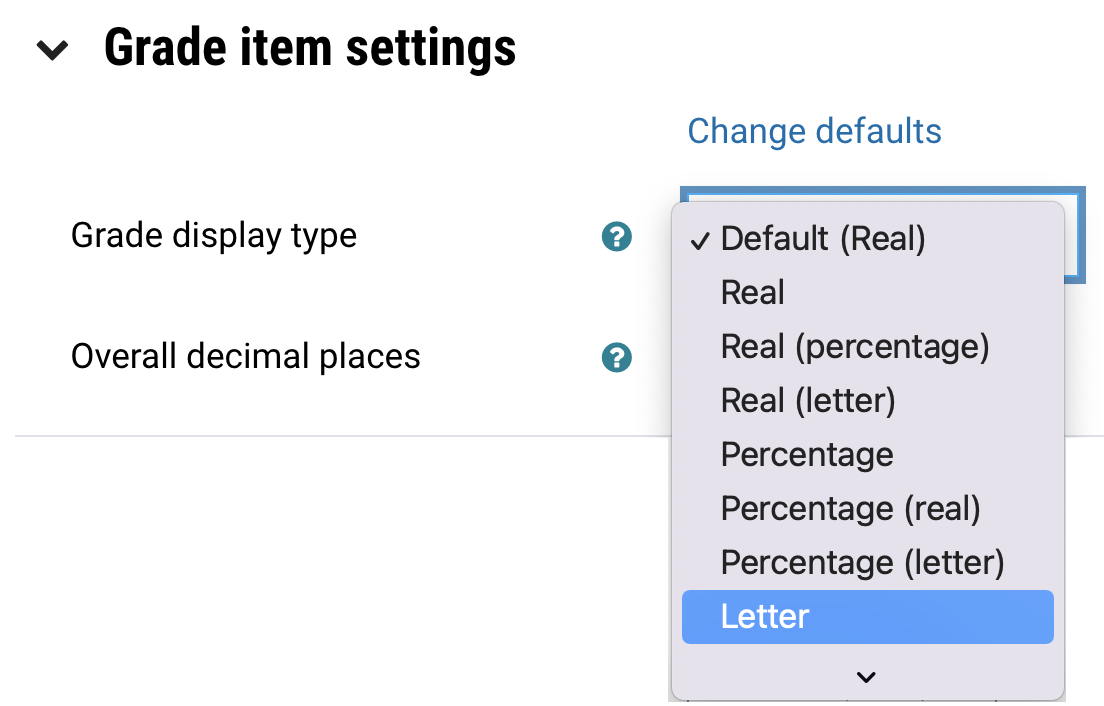
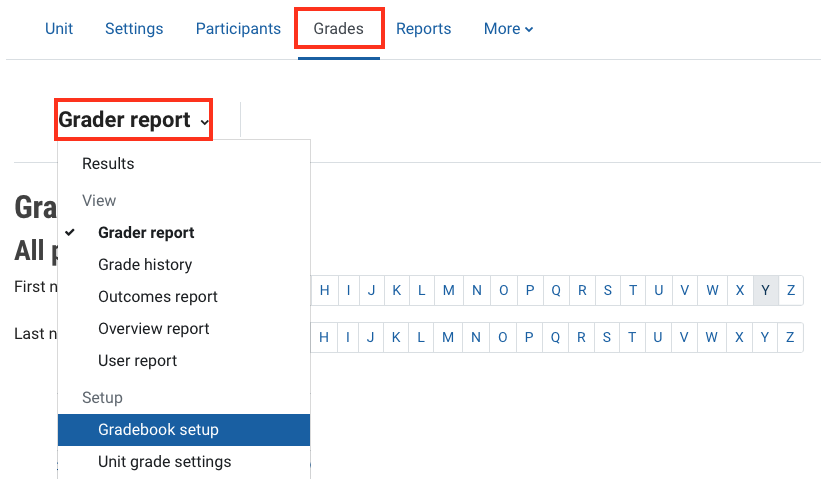

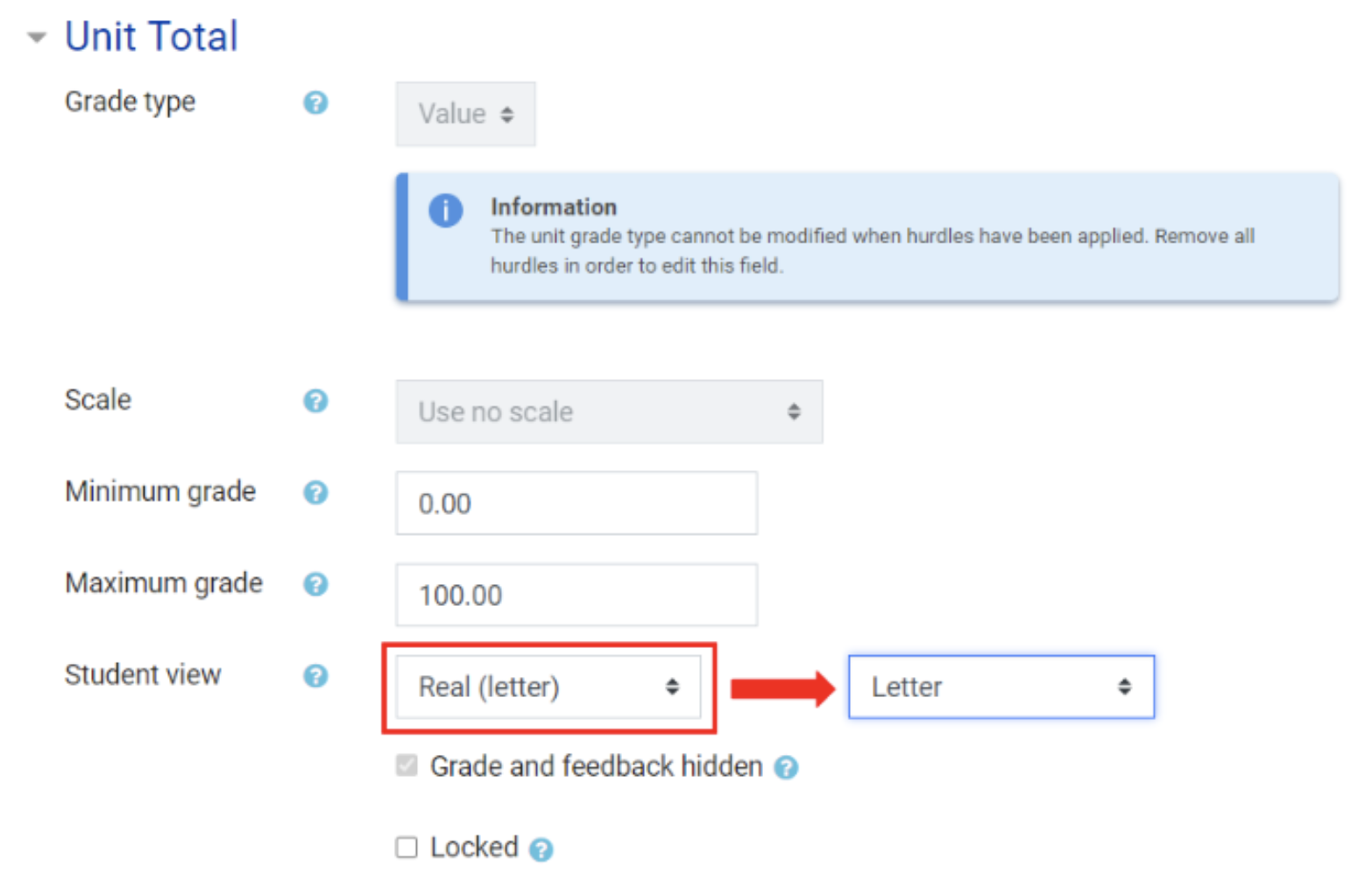
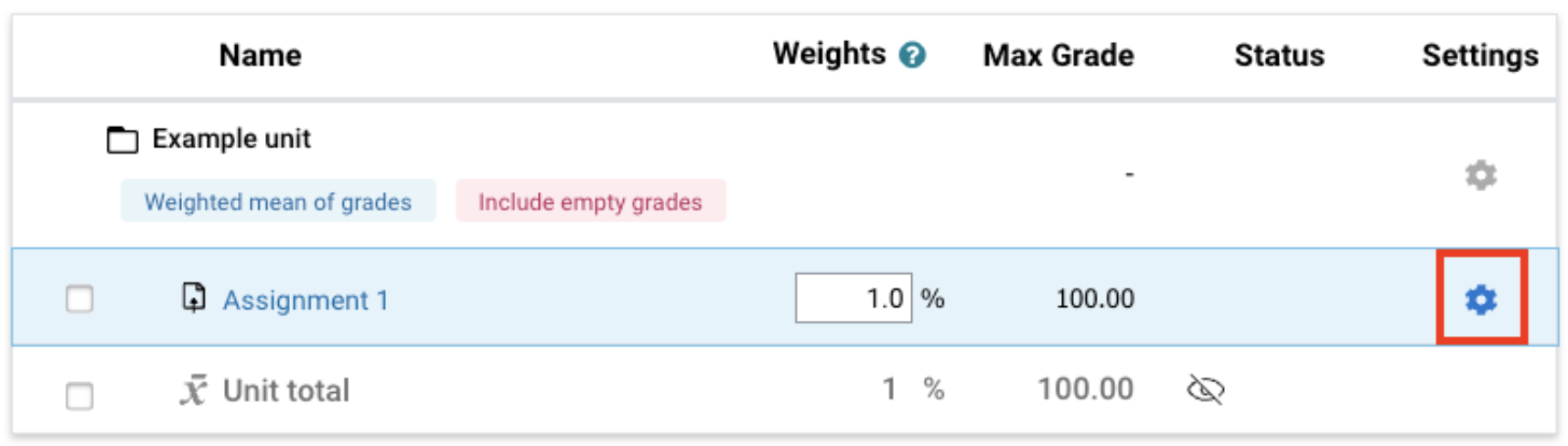
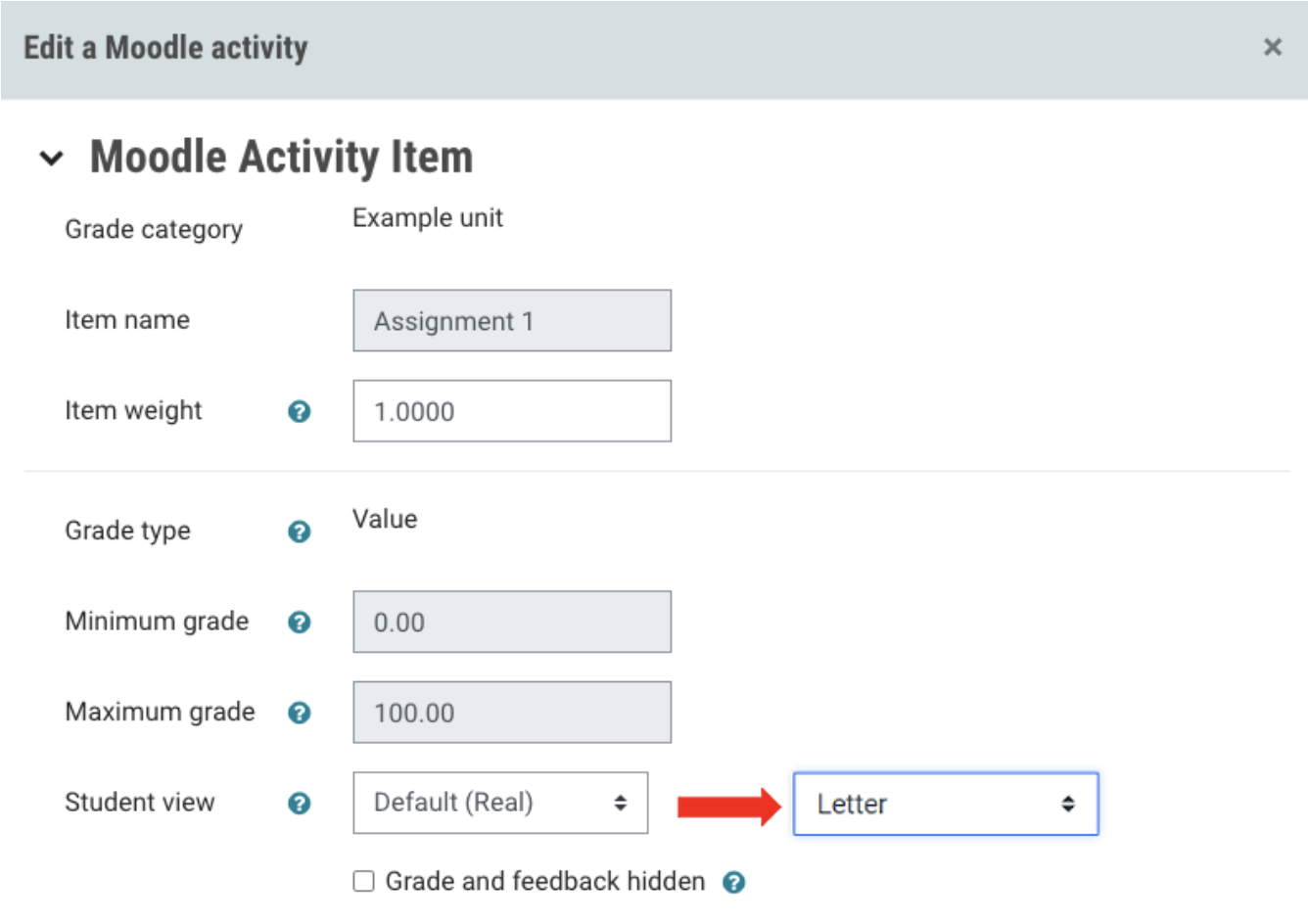
Release the numerical results after the board of examinersAt the conclusion of the Board of Examiners process, you must release the final numerical marks for all assessments to students. This means for any graded activities that display letter grades, you MUST change the Student view from Letter back to Default (real) in the Moodle activity settings. You must do this for each grade item for which marks must be released. |