
Add a welcome message
The welcome message is a place for you to personalise and set the tone for the unit. Use this section to outline high level learning goals and a bit about your philosophy. Adding a welcome video in this section will greatly personalise this section and is a chance to introduce the teaching team to students.
The welcome message is shown under the Unit Information tab and can include text and a short video (2-5 mins). Following the Monash tone of voice, it is in plain English and has an upbeat tone to give an overview of the content covered. Below is a script to get you started on a concise welcome message.
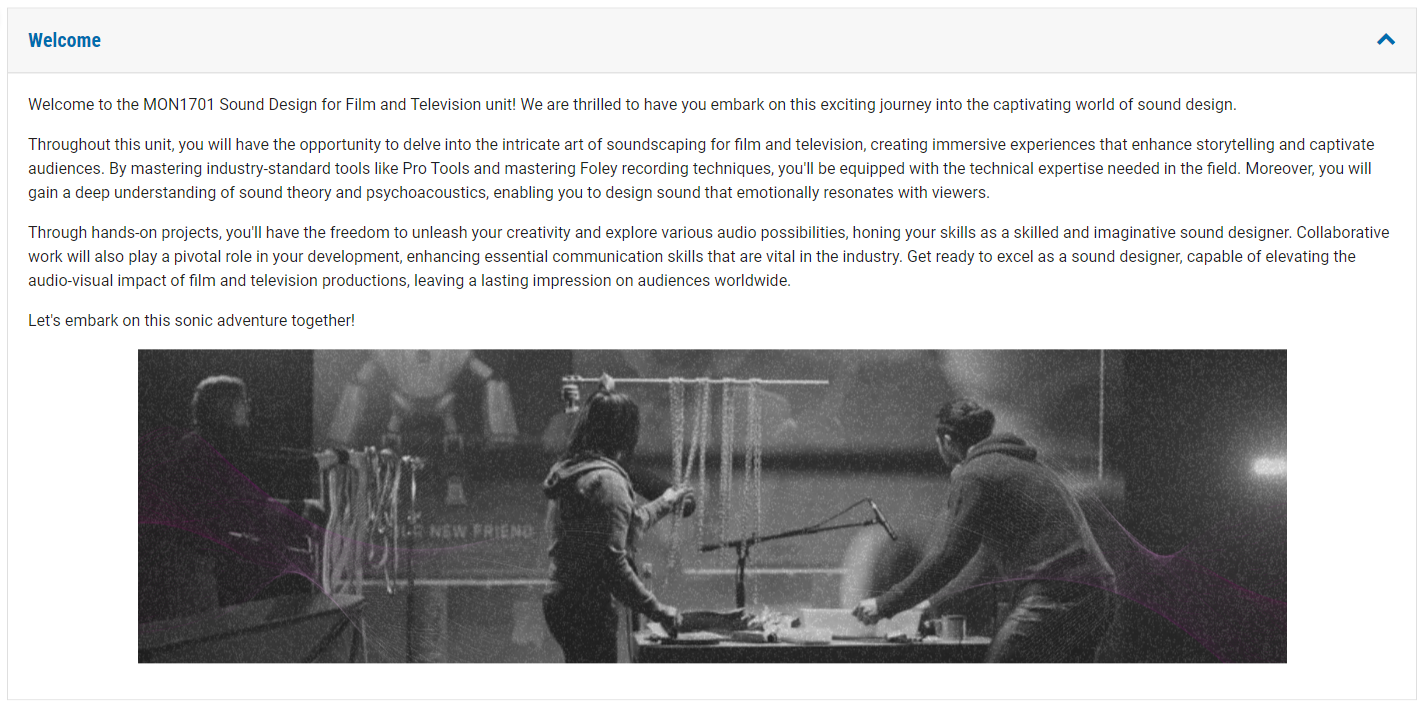
How to add a welcome message
- Ensure editing mode is turned on.

- Navigate to the Welcome section.
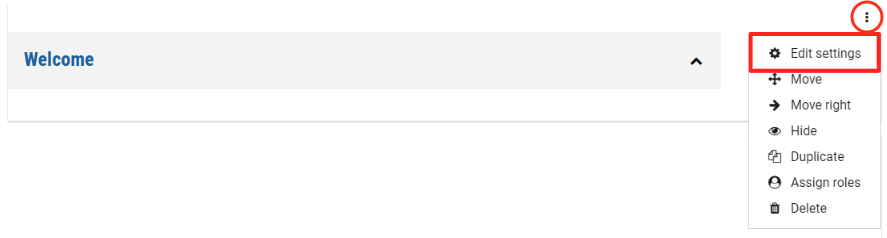
- Click the three dots at the right of the page and select Edit settings.
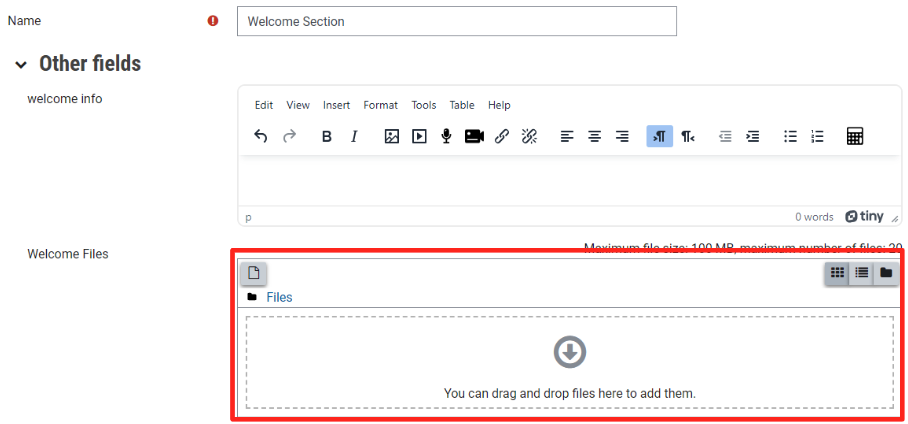
- In the text field, enter a welcome message. You can embed images or videos here as usual with a text and media area. You can also attach files such as documents or PDFs by dragging and dropping in the Files area below the text box.
- Click Save and return to unit.