
Import questions using a .csv file
You can use a CSV file to quickly create or import the following activity types into Poll Everywhere:
- Multiple choice
- Open-ended
- Ranking
- Word Cloud
- Q&A
- Surveys
- Competitions
Note: You cannot upload images with the CSV importer. This means you cannot use this method to create an activity that relies on images such as Clickable image or multiple choice activities that use the image as the response option.
Watch the video or read the instructions below
- Navigate to the Activities page.
- Click Upload.
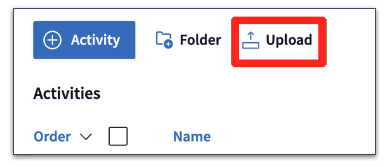
- You can either drag and drop your CSV file or click Choose file to select your file. You can also click Download our CSV template to download a blank template file.
Note: When activities are uploaded, they get placed into a folder. Currently, the Poll Everywhere folder limits items to 400. The maximum number of activities you can upload at once is 400, however it is recommended that you upload 100 activities or less at one time.
- In your .CSV file, each row will be imported as a distinct question and will be converted into an individual activity in your account. Review your data to ensure that:
- Titles are not blank and do not exceed the 255 character limit
- Multiple Choice options are not blank and do not exceed the 255 character limit
- Special characters are excluded as they may cause issues during the import
Note: Images cannot be uploaded using the CSV importer. Once questions have been imported, you can then add images for multiple choice activities.
Click on the plus icons to learn more about each column of an example CSV file template
- Once your .CSV file has been uploaded, click Continue.
- Review your imported activities. Make any adjustments to the CSV file and re-upload the file if needed.
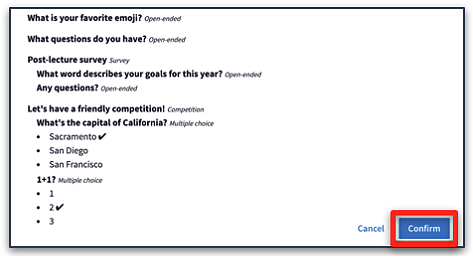
- When finished, click Confirm to complete the import.
- Once the import has been completed, you will receive a notification of successful import and have the option to access the imported activities. The imported activities will be listed in a folder with a label starting with “Imported” followed by the timestamp it was imported.