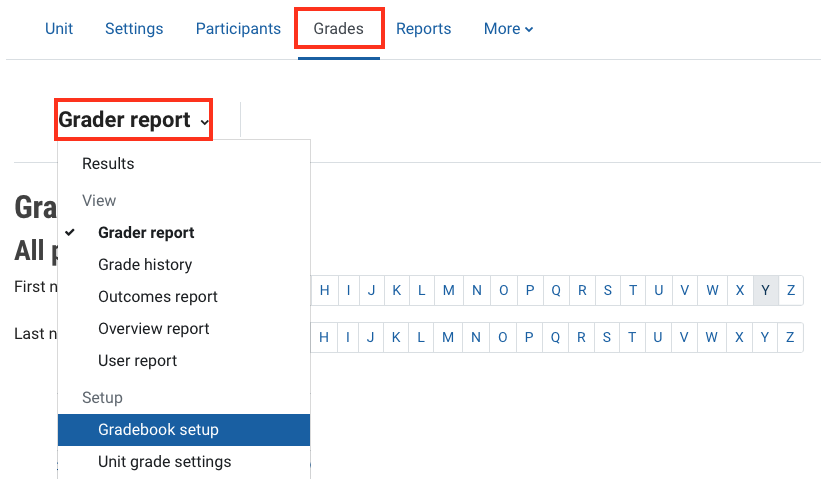
Navigate to the Moodle Gradebook
Watch the video below to learn more about the Moodle Gradebook
Note: Click the ^ arrow at the bottom of the video player to view the table of contents. Click on a chapter to skip to a specific section.
Navigate to the Moodle Gradebook
- Click on Grades in the top banner menu.
- Click Grade report and then select Gradebook setup from the drop down list.