
Set up a quiz with randomised and multivariable questions
At a glance
Set up randomised and multivariable quiz questions in Moodle to minimise collusion, enhance learning and uphold academic integrity. Explore the STACK question type for mathematical questions, calculated and multi-variable question sets, and ways to keep variables consistent across a quiz.
One method of minimising collusion in Moodle quiz activities is to write more questions than needed and apply randomisation to questions, question order in quizzes and answer order. This guide covers how to set up randomised and multi-variable questions, which can help to minimise collusion, enhance learning and uphold academic integrity.
Key steps to set up a Moodle quiz with randomised questions
- Create a Moodle Quiz activity. For more information, see Add and customise a quiz.
- Create a category in the Question bank, for more information see Manage the question bank.
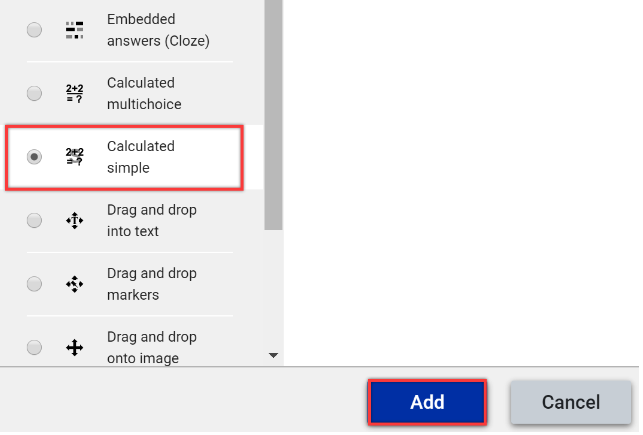
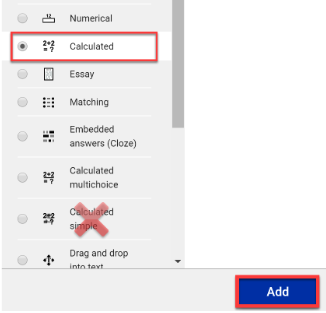
- Create a number of questions within the question bank category. The guide below covers how to create calculated and simple calculated questions (descriptions below). For guidance on how to set up other types of quiz questions, see Question types.
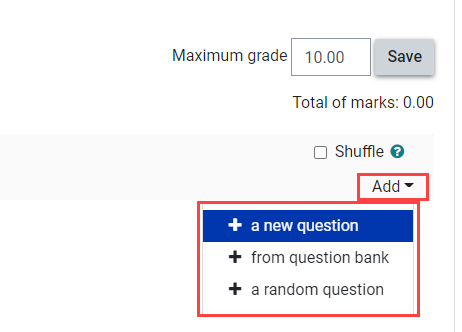
- Add randomised quiz questions to your Moodle quiz, see Add quiz questions (random quiz question).
| Type | Description |
|---|---|
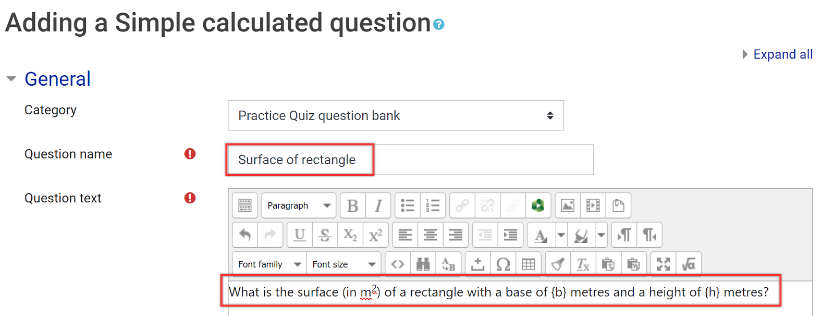
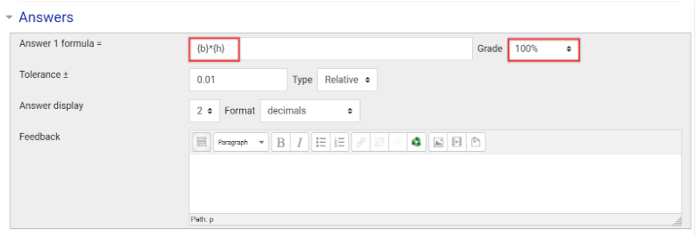
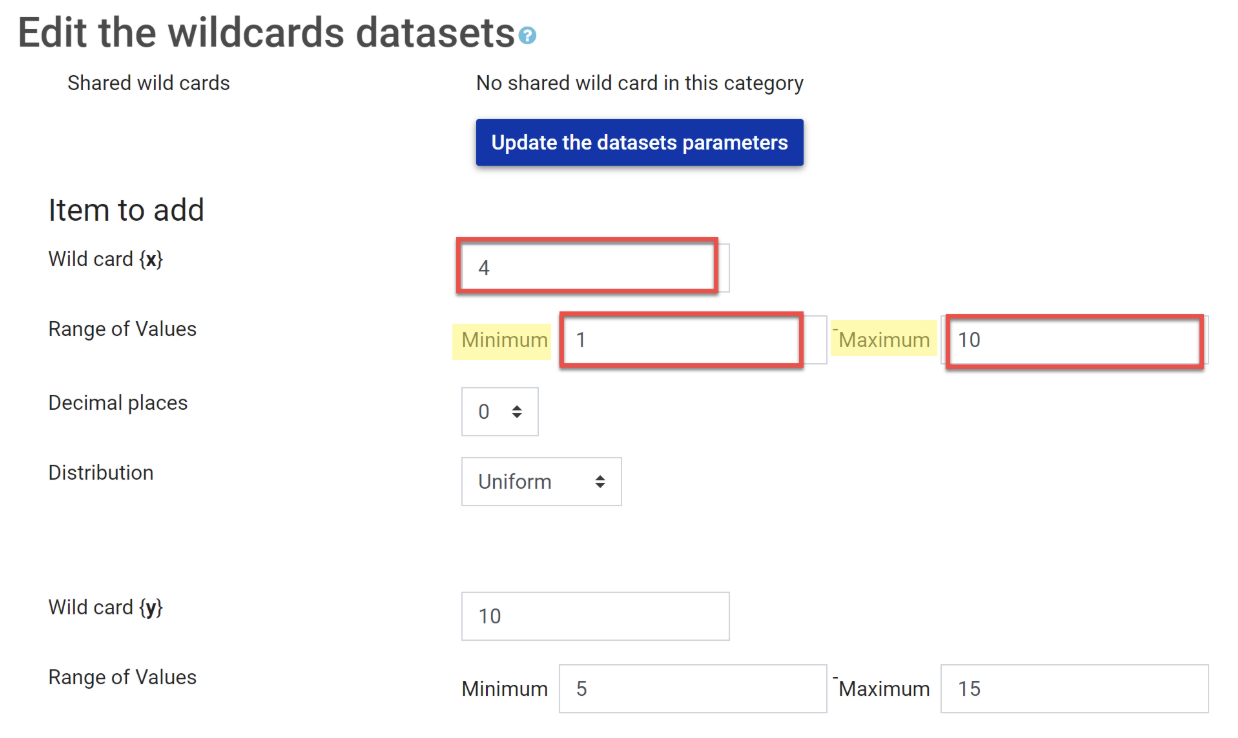
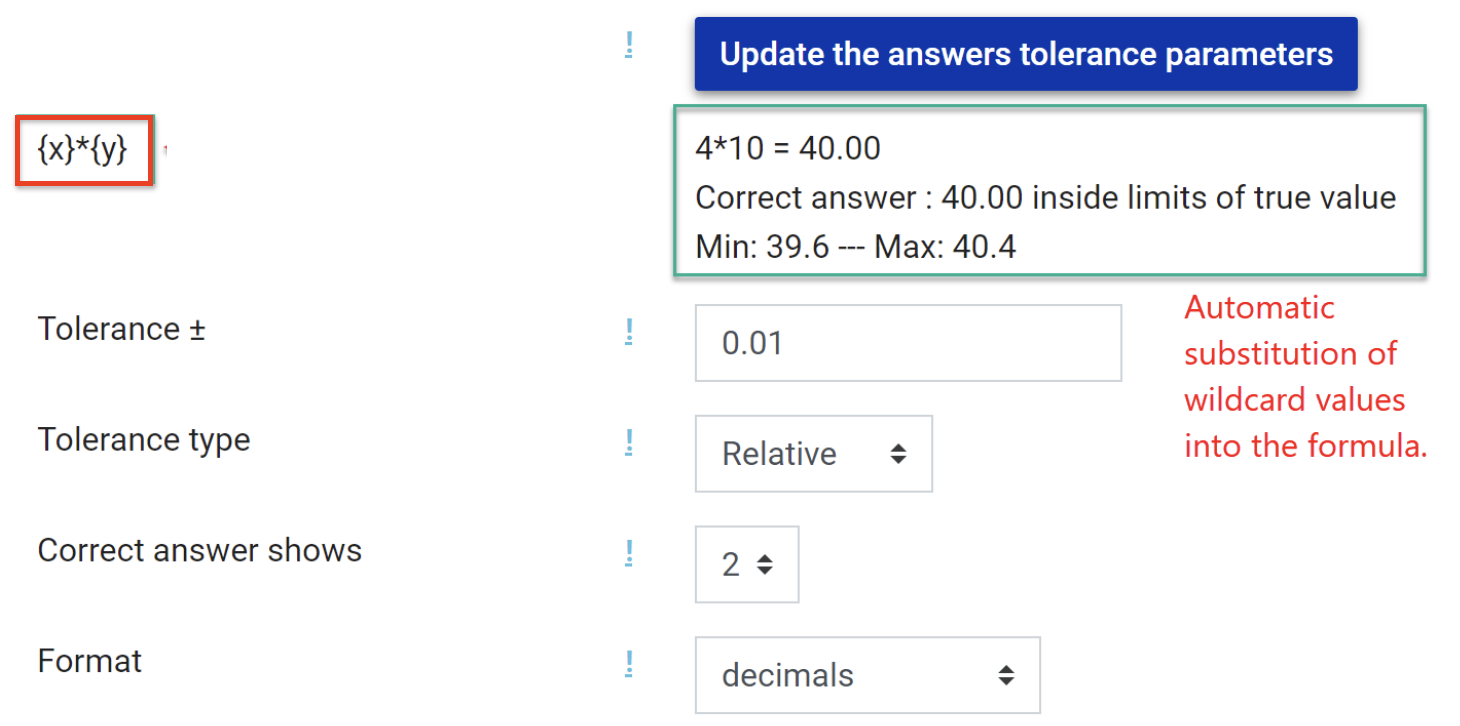
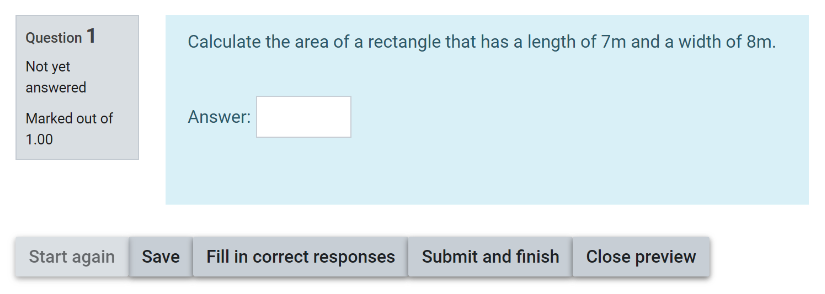
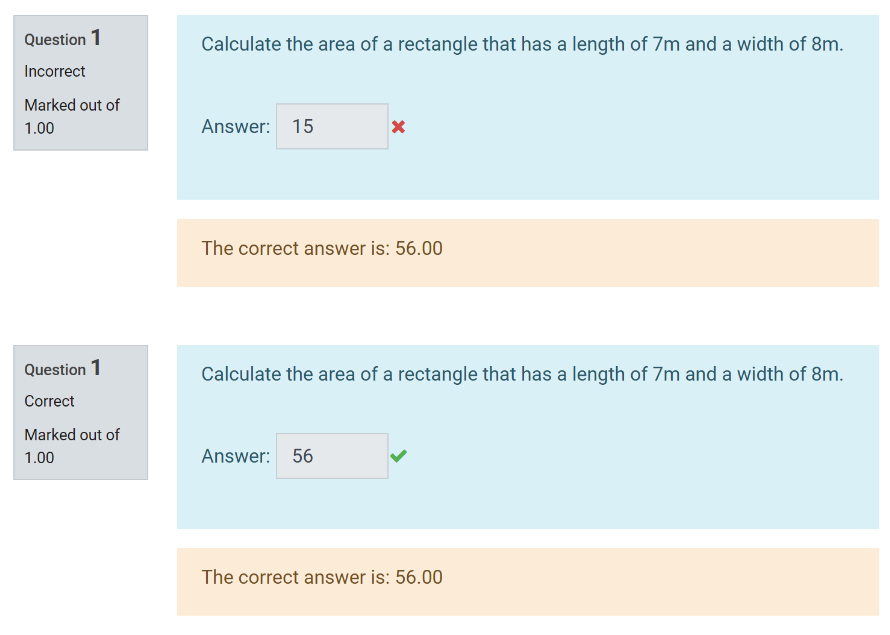
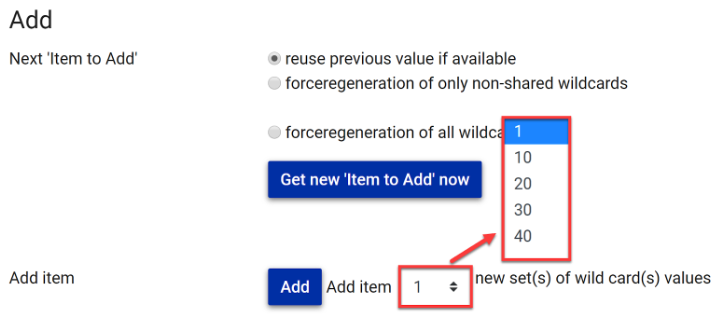
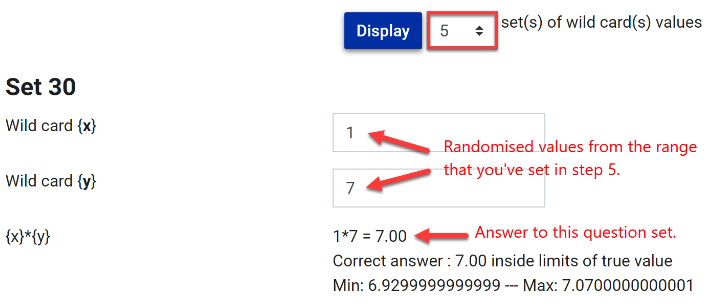
| Simple calculated question | Simple calculated questions offer a way to create individual numerical questions whose response is the result of a numerical formula which contain variable numerical values by the use of wild cards (i.e {x} , {y}) that are substituted with random values when the quiz is taken. |
| Calculated question | The calculated question type is a great way to test students' mathematical knowledge and problem solving. Similar to Simple Calculated questions they should be used when you want to give students consistent variables across multiple questions in the same quiz. This allows a quiz to connect the different questions together in more complex ways. |
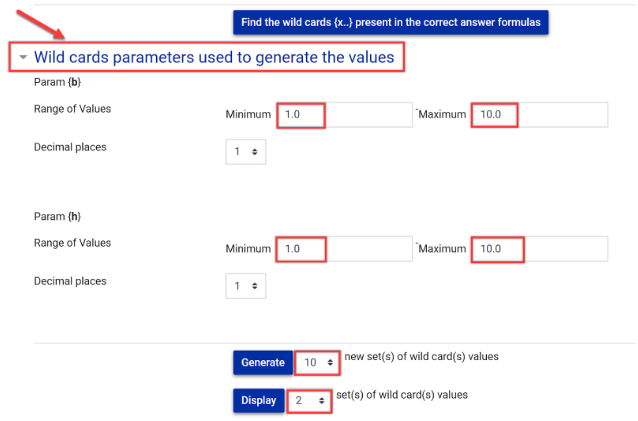
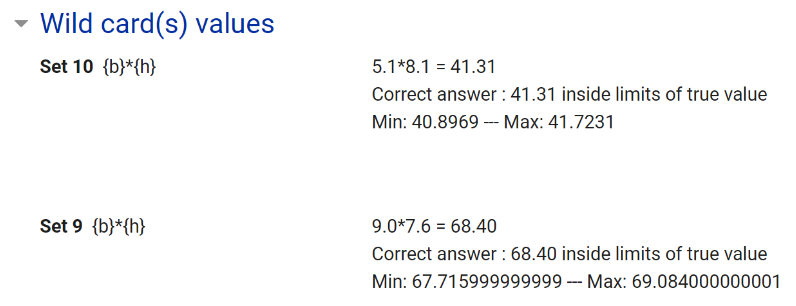
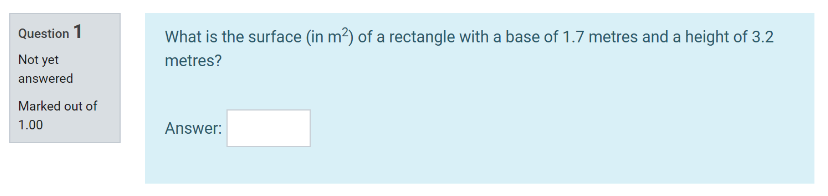
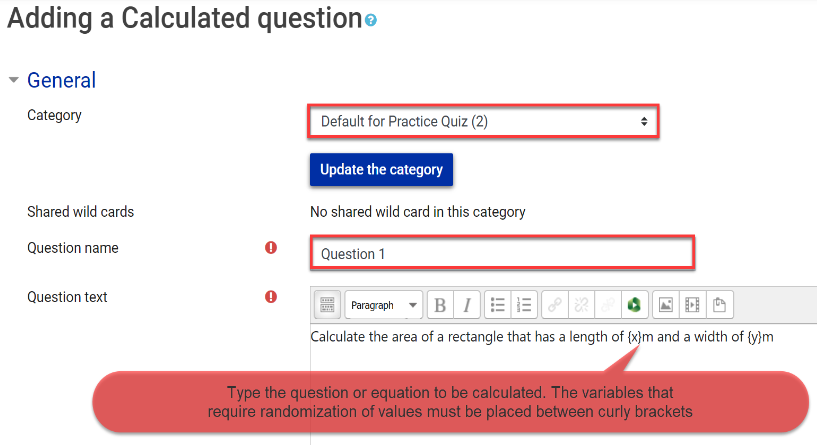
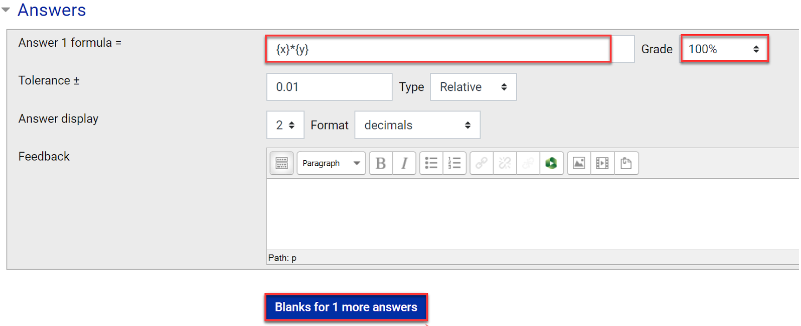
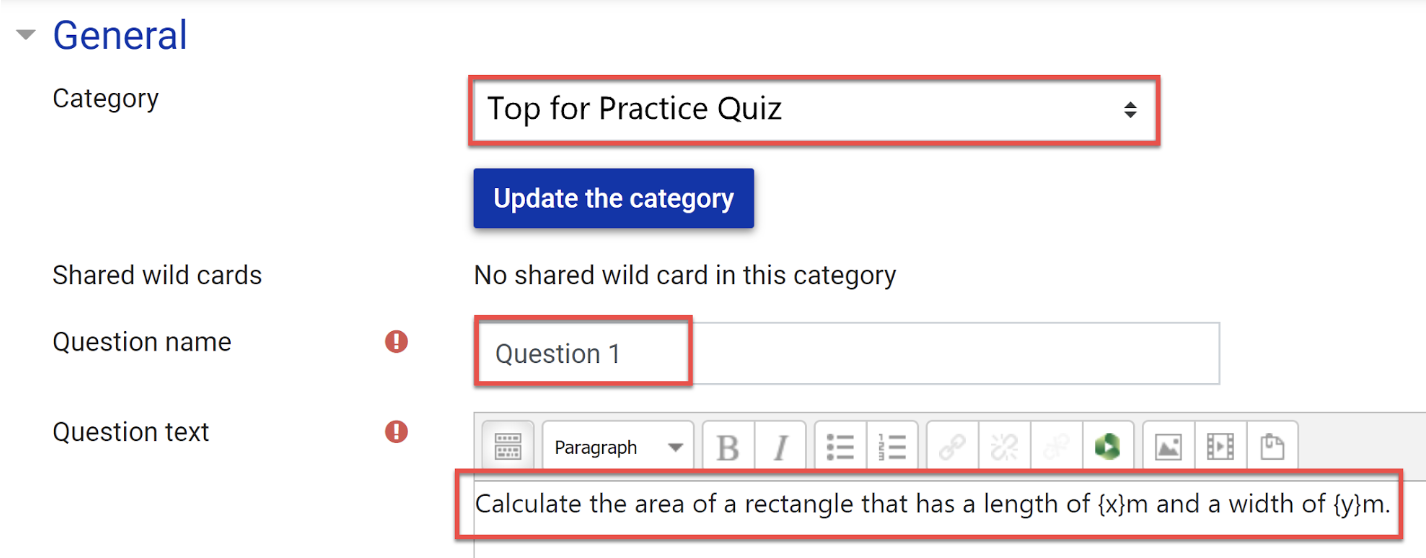
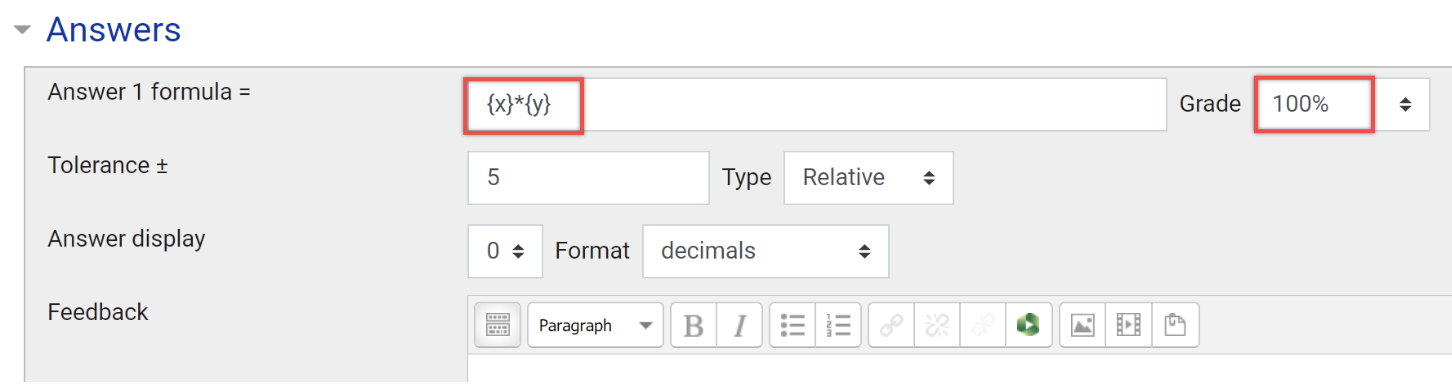
| Multi-variable calculated question sets | The main purpose of the calculated question is to create multiple versions of a question with different numerical values. This is an appropriate quiz type to ensure that each student has a unique answer, making answers less easy to share. Calculated questions offer a way to create individual numerical questions by the use of wild cards (i.e you can use common variables names as x, y enclosed in curly braces to create the wild cards {x} and {y}) that are substituted with random values when the quiz is taken. |
Expand the accordions below to learn how to set up different types of multivariable quiz questions




Acknowledgements
Engineering Education Design Team
Be Inspired: Diverging assessmentDeveloped by a team led by Dr. Amin Sakzad, diverging assessment reframes assessment as opportunities for authentic learning by assessing students on a common framework using randomised quiz questions. To find out more, see Divergent assessment: Assessment as learning |