Productville – Pharmaceutical Science case studies
About this example
Moodle Lesson was used to create an interactive learning experience for students called Productville, which was used to contextualise teaching and learning in pharmaceutical science and to illustrate important scientific phenomena.
Watch Elizabeth Yuriev talk about the inspiration behind Productville.
Pharmacy and Pharmaceutical Sciences
-
Physical chemistry is a complex subject, particularly for first year students. It is a dry subject with a lot of maths and students are expected to deal with rather abstract mental concepts in order to understand physical phenomena, such as solubility. They are also required to handle ambiguity and alternative explanations. All this creates significant cognitive load, especially if students can’t ‘connect the dots,’ leading to frustration and negative attitude to the subject matter.
One of the approaches developed in educational research in order to address such issues is contextualisation. Contextualisation both brings the learning of science closer to the lives and interests of students and improves their interest in science and therefore enhances their understanding.
In the field of pharmaceutical science, we are able to make learning of physical chemistry more concrete and exciting by contextualising theoretical scientific phenomena using a range of real-world products. We were inspired by the Pharmville project implemented earlier in our Faculty – a resource platform consisting of a fictional community of people to augment learning in an undergraduate pharmacy program.
-
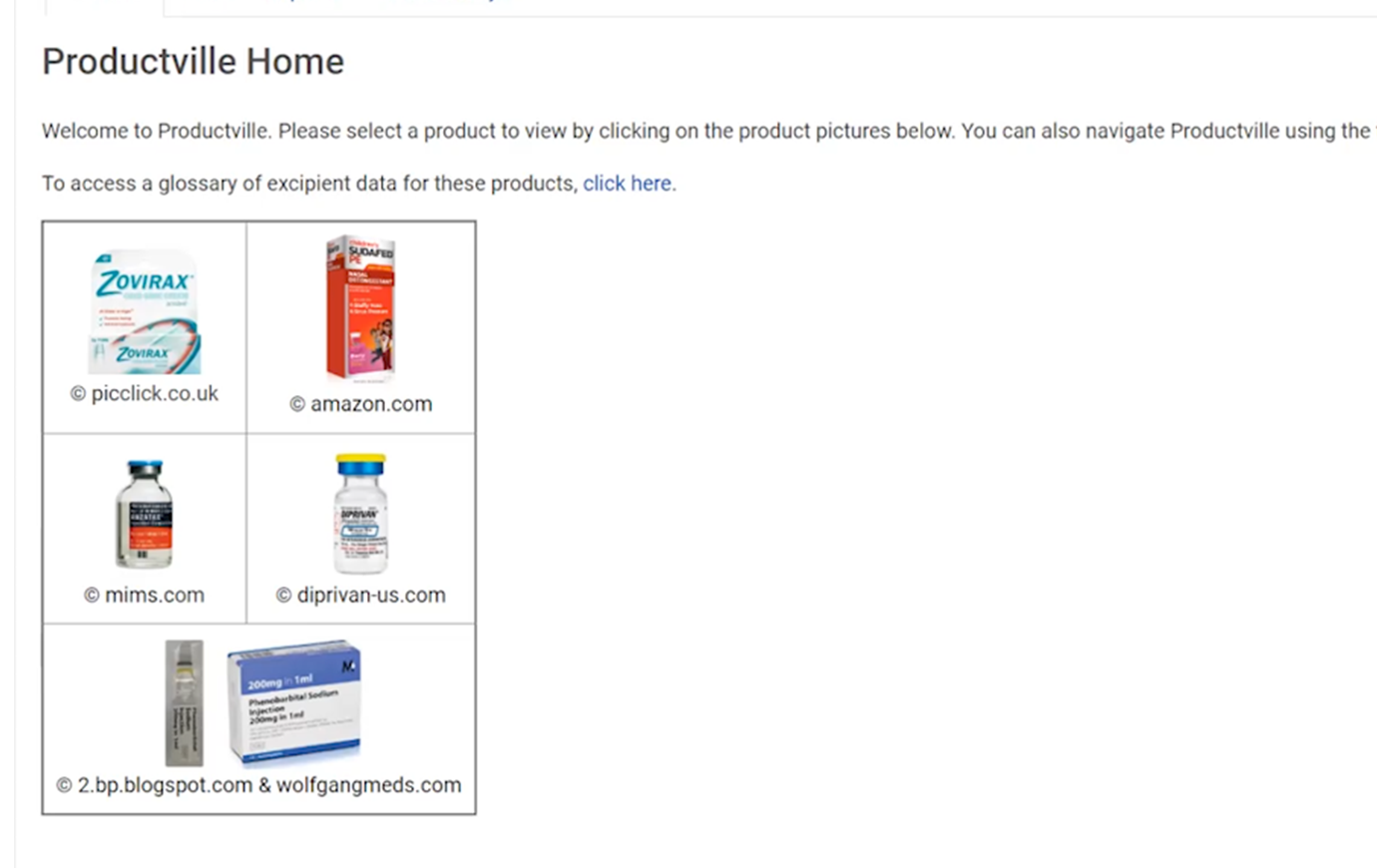
We developed Productville – a set of teaching resources, focusing on a suite of five products which we used as a context to aid learning of physical chemistry concepts, such as partitioning and solubility. The products contextualised scientific concepts through familiarity by using stories and experiences students can relate to. They were then incorporated into all phases of learning and assessment.
Specifically, building Productville entailed collection and curation of a database of sources relating to the products, designing an online presence for Productville through a Moodle Lesson, and developing or updating teaching activities to incorporate the resources.
-
The Productville Moodle Lesson contains five products: Anzatax, Diprivan, Phenobarbitone, Sudafed and Zovirax. These illustrate various pharmaceutical forms (solutions and creams) and cover various medical conditions or needs.
For each product, the Lesson integrates scientific information about the product with popular culture stories and five to six check your learning questions. The questions provide students a chance to test their knowledge of each product and the relevant physico-chemical properties and phenomena.
These questions are not assessed and are provided only for formative assessment and self-testing. Students are provided with feedback on their attempts and can have multiple attempts to re-try these questions at any time, without any time limit per attempt.
The Lesson also links the purpose-built Moodle glossary, which includes information about all relevant chemical compounds. Students are encouraged to try to answer the questions first without consulting the glossary links.
Want to visit Productville?
Want to experience the Productville Moodle Lesson? Click here to see Productville in action.
Try it out
This exemplar is easy to implement.
Recommended resources and training:
- How-to: Create Moodle Lessons
- How-to: Create Moodle Glossary
- Storyboard the branching scenario (Download sample eLearning Module Storyboard Template)
-
- Create a Moodle Lesson activity in your Moodle unit.
- You will need time to get resources together – we had 100 hours to support the build and design Productville.
- Due to the non-sequential nature of this learning resource, use formative assessments only. Summative assessment shouldn’t be associated with the lesson as students can access this resource in any order that suits their learning.
- We included case studies associated with the five products to help contextualise learning throughout the unit.
- A potential pain point: the Moodle glossary link has to be relinked every year – you’ll need to remember this when you rollover the unit.
- When designing your formative assessments, keep it simple. This is a resource to support the unit, so consider multiple choice, true/false or match questions.
- Avoid completion settings. This choice was made because we didn’t want to put pressure on students to ‘complete’ Productville. It has been designed to suit their ongoing learning rather than being a resource the will visit only once.
- Use reports from Moodle to inform teaching to see where students have most utilised the resource.
-
Watch Elizabeth Yuriev provide advice on what you may wish to consider when setting up a case study resource like Productville.
Select each of the points below to find more advice on setting up this teaching resource.
- Generate real-world case study content
- Build your Moodle Lesson
- Integrate this case study into the rest of the unit
- Select a focus for the case study (e.g. a pharmaceutical product)
- Decide what you want students to achieve (e.g. answer questions, generate ideas)
- Collect relevant information (i.e. for students to answer case study questions) and add additional information to enrich the material
- Generate your questions
- Create ongoing ‘check your learning’ questions as a formative assessment task.
- Consider how your case study meets your goals in terms of formative and summative assessment.
- Draw a flowchart of your lesson. Note that you will likely re-draw it more than once before your lesson is fully built.
- Think about giving students opportunities to return to earlier stages, as well as jumping ahead.
- Consider pathways students may take in working through the lesson and make sure they don’t get stuck.
- Once you have built the Lesson, test it! Ask students or colleagues to test it too.
- Use your case study as a scene-setting problem in a series of lectures for a given topic.
- Include the case study into a workshop exercise.
- Setup a Q&A Forum for students to post responses to case study questions. This forum type allows one to see what others have posted only after posting.
- Refer to case study content in summative assessments, including the final assessment.
- Remember to use a variety of approaches when integrating this case study – it will help your students contextualise their knowledge.
Supporting resources
Here are some additional resources that you can browse to help you implement this teaching resource.