


- Select Lesson.
- In the General section give your lesson a name and a description (this will display as the link on the unit page).
- Additional settings can also be set now, or later as required. These must be set for each lesson.
- Appearance: Set a progress bar, displaying a menu, ongoing score and a range of options for the “look-and-feel” of your lesson
- Availability: Set release and end dates, a time limit and set a password
- Flow control: Set the options for student interaction throughout the lesson
- Grade: Set your assessment options
- Common module settings: Set availability and groups
- Restrict access: Set restrictions as required
- Activity completion: Set completion tracking and expected date
- Tags: Add any tags you want here
Note: Throughout this and other topics you will be given the option to 'Expand/Collapse' or show ‘More/Less'. These options show or hide information according to your options requirements
Lesson pages
- Navigate to the lesson you want to edit.
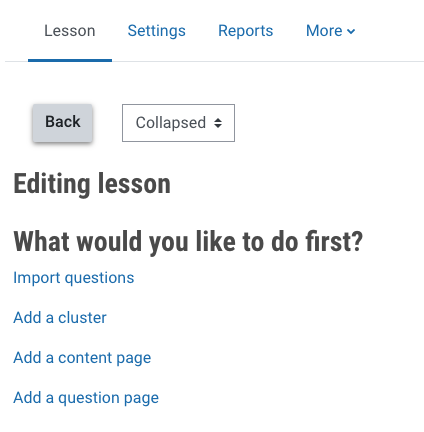
- From the Lesson tab, you can choose what you would like to do first.

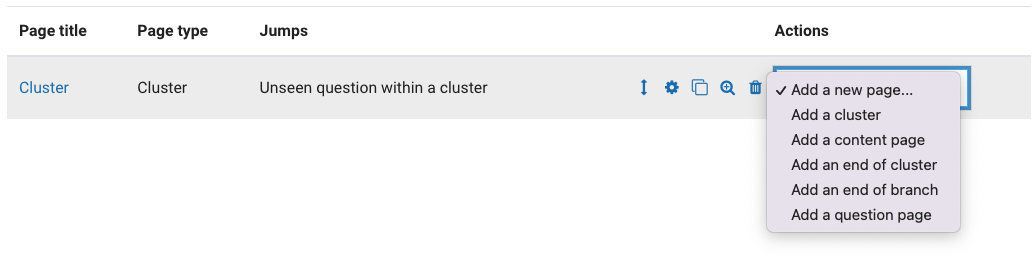

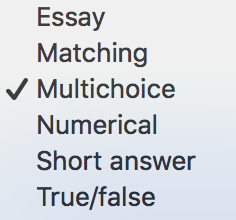

 icon, make the changes as needed and then click Save page.
 icon and click Continue.