
Import a resource or activity from another Moodle unit
At a glance
Reuse existing activities and resources by importing them from one Moodle unit into another, provided you hold the lecturer role in both. Understand the steps to select and import content, and learn what to check afterwards if it does not appear where expected.
You can import activities and resources from one unit into another Moodle unit, provided you have the lecturer role in both courses. This can be a quick and simple way to reuse existing activities and resources.
NoteDue to the structure of the Moodle template, content you import from another unit may not appear in the exact equivalent section of your new unit. As such, this feature should be used with caution. If content appears where you did not expect it, you can use Mass actions to move it to the right location. If you find you cannot move the content contact your Faculty Moodle administrator. |
- Navigate the Moodle unit you would like to import content into.
- In the top menu click on More, then select Course reuse.
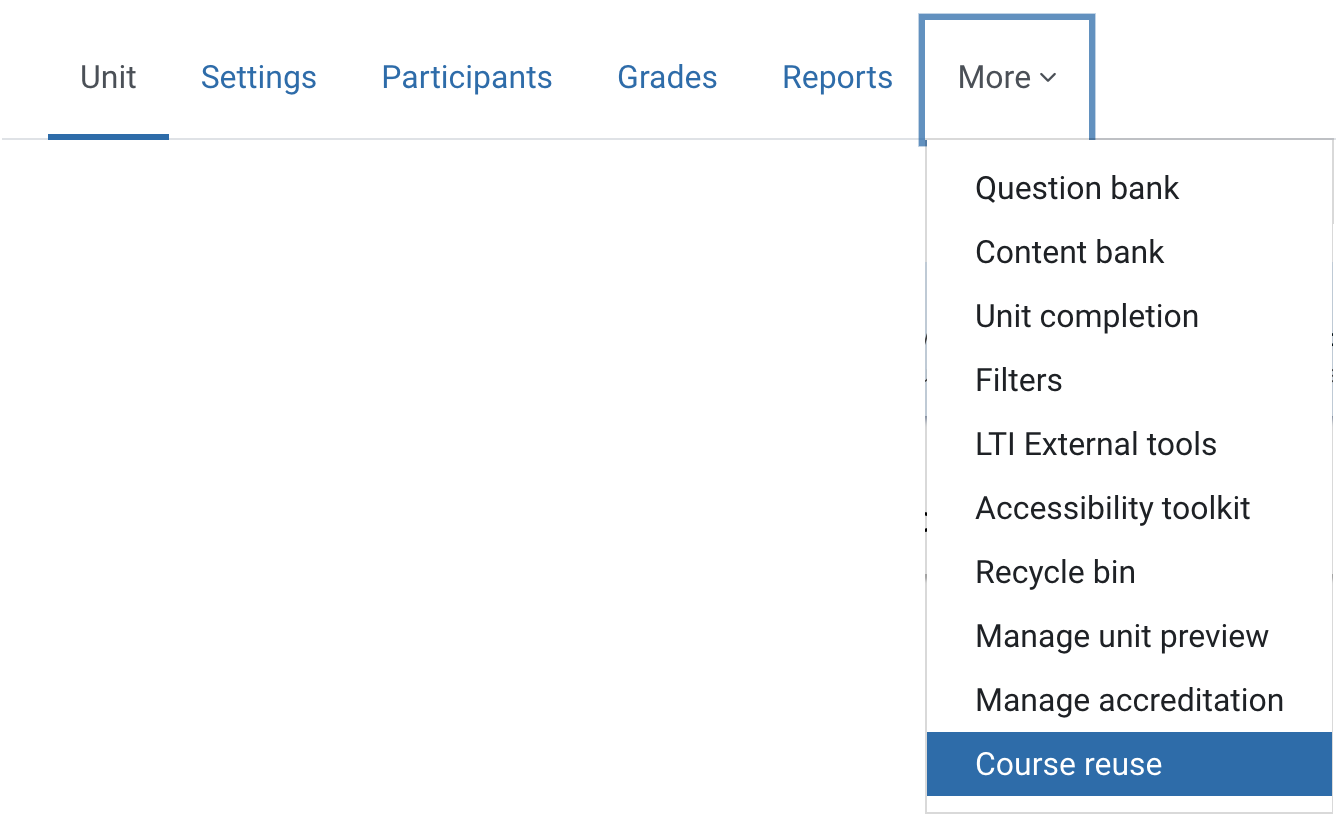
- Click Import.
- Select the Moodle unit you would like to import contents from, then click Continue.
- From the Import settings screen, use the checkboxes to select the kinds of content that you want to import, and click Next.
- From the Schema settings screen, click None to deselect all checkboxes.

- Use the checkboxes to select specific content to import. You must also select the checkbox for the section the contents sits in to select the content you wish to import.
Note
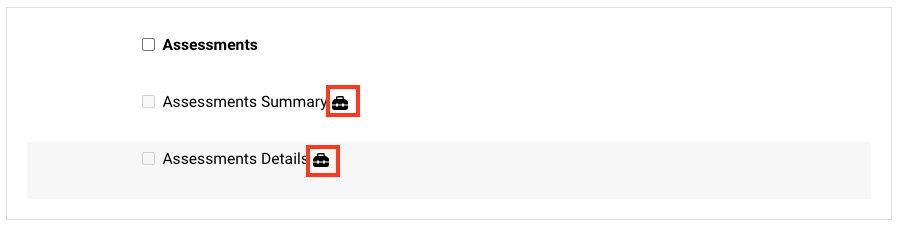
Do NOT select items that display the black tool box icon. These are core elements of the Moodle Standard Unit Template. Importing these will create duplicates in your Moodle unit that CANNOT be removed like other resources and activities. If you have accidentally imported duplicates, reach out to ServiceDesk.
- Click Next.
- Review the list of contents that will be imported. Click on Previous if any changes are required.
- Click Perform import. Depending on the volume or size of your import, it can take up to 24 hours for your contents to appear.
- Once the import is complete, click Continue to return to the Moodle unit.
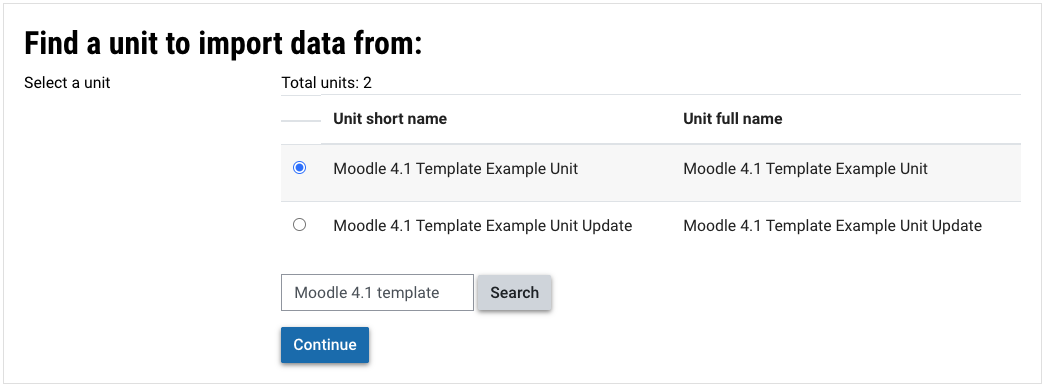
Note: You can use the Search units text box to narrow your list of Moodle units then click Search.