Set up forum grading
At a glance
Set up grading for forum posts in Moodle, including enabling grading for standard and open forums, entering grades, notifying students and allowing students to rate each other's posts. Also find out about a current bug affecting hidden grades in graded forums.
Discussion boards may be used throughout the unit where students’ contributions are assessed at the end of the semester or set up as individually graded assessments. They may also be used as a peer assessment tool where students provide feedback on an individual student’s work or on collaborative work.
Both Forums and Open forums have a Grade section. When you select this a grade item will be automatically created in the Moodle Gradebook. Click on the accordion below to learn more about how to set up forum grading for your forum activity.
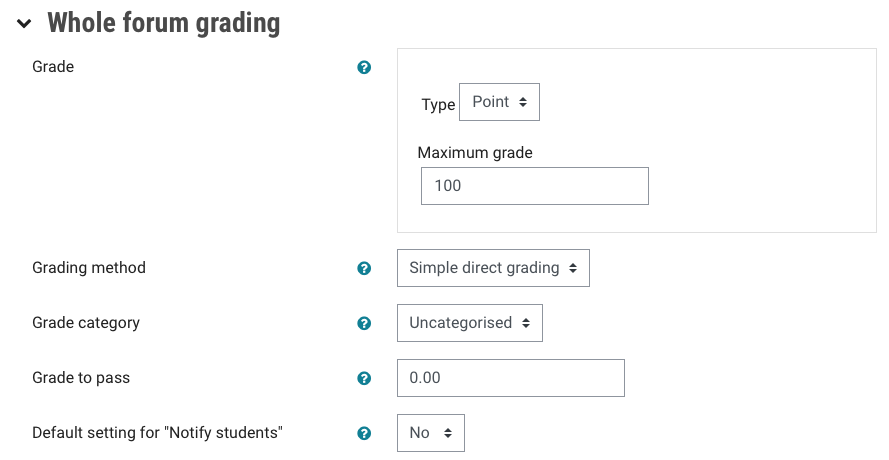
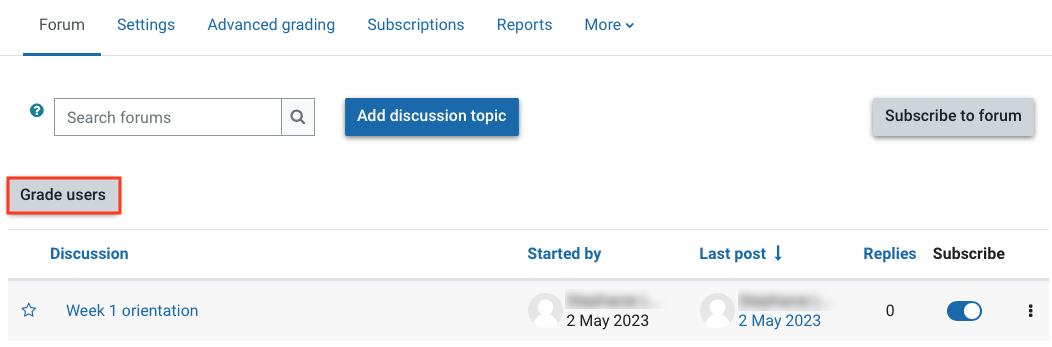
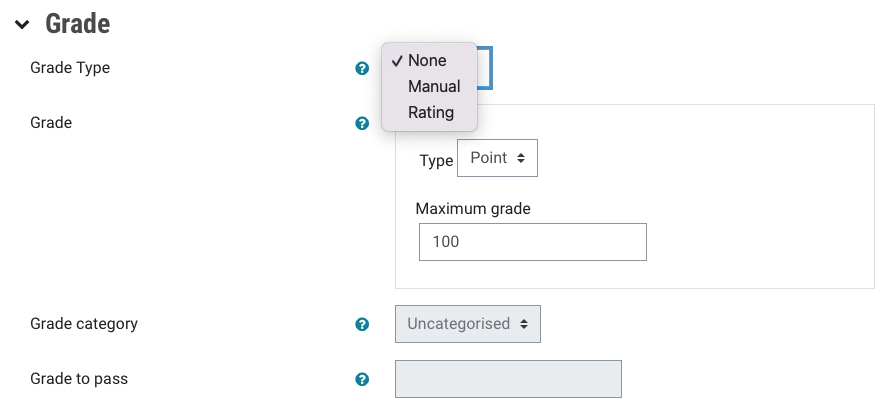
NoteThere is a current bug that allows students to see their grade for forums that have grading enabled even if the grade has been hidden in the Gradebook. Ensure you ONLY enter grades once you are ready for students to see their grade. |
Enable students to rate posts
Forum posts can be rated by academics or students for peer evaluation. Ratings can be aggregated to form a final grade which is recorded in the gradebook.
Change permission settings
By default only the lecturer in Moodle can rate a post. If you want students to be able to rate each other's post, you would need to change the permission settings in the Forum settings.
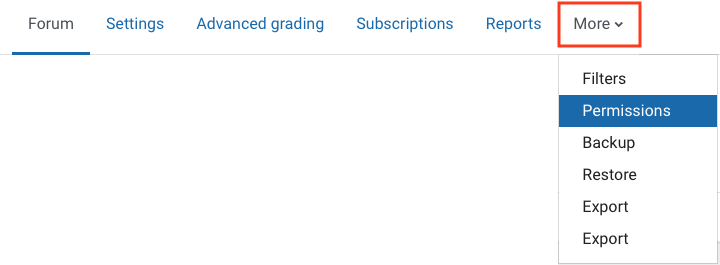
- In the top right menu, click More and then select Permissions.
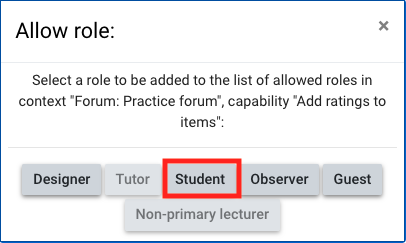
- You will need to add Student to Roles with permission for Add ratings to items and Rate posts. You may need to scroll down to find Rate posts.
- Click on the plus icon to add a role.

- Select Student. If the student role has already been granted permission, it will be greyed out.
Set up rating in the forum settings
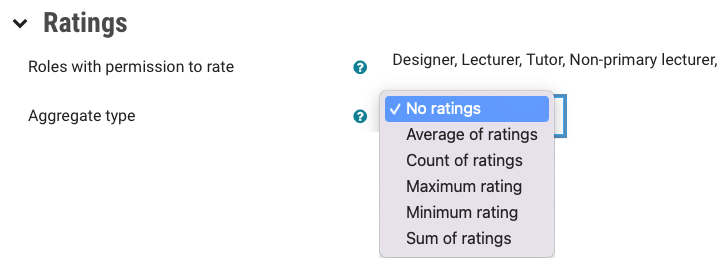
- In the Forum activity setting, in the Ratings section, select the Aggregate type from the drop down list.
- Click Save and display.