
Demonstrate student learning, showcase attributes skills and knowledge, and provide opportunities for students to reflect on their own learning
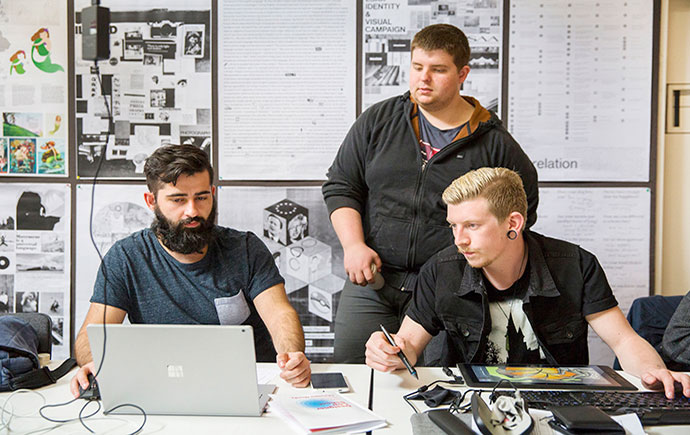
ePortfolios allow students to create an online portfolio of their work, allowing them to demonstrate skills development, reflect on their progress, and collect evidence of their learning.
ePortfolios can be a highly authentic form of assessment that can be used to capture the development of a concept or skill over time. The portfolio can also be shared with external stakeholders such as placement supervisors for comment. You can supply a template with embedded instructions, but the students maintain a high degree of control over both what they present and how.
Learn more about the Monash ePortfolio platform including an introduction to the interface and recommendations for how ePortfolios can be used in teaching.
Learn how to create templates that include pages, content containers and instructions that students can copy.
Learn how to add an external tool, allowing students to navigate to Mahara directly from your Moodle unit.
Learn how to set up the Moodle assignment activity so that students can submit ePortfolio pages and collections to the assessment.
Learn how to set up a SmartEvidence framework that can be used to assess the student against a range of predefined competencies.
Learn how to set up the ePortfolio for students to log Continuing Professional Development.
Learn how to print ePortfolio pages, ensuring that the Print Preview and downloaded PDF match the content displayed on screen.

View frequently asked questions about Monash ePortfolio.. You can select Expand all and then use CTRL + F (PC) or CMD + F (MAC) to search for keywords.
Yes, if a submission is "reopened" via the Moodle Gradebook, the page will become unlocked which will allow it to be edited.
Yes. You can export the portfolio with all comments, without comments or choose to exclude private comments.
The size limit per Mahara account is 900 MB (This can be increased upon request).
Note: Where possible, it is recommended that you add videos using the ‘External media’ instead of ‘Embedded media’, as the videos that are hosted externally(eg. YouTube, Vimeo, Panopto) do not take up space in the 900MB size limit.
Once a template has been copied, any changes made to the original template will not affect any copies made of the template.
Yes, this is possible.
Yes, you can embed Panopto videos using the external media block using the iframe embed codes or URL.
Students cannot change the instructions of a template. Otherwise, once they have made a copy of the template, they can modify the copy as needed. The original template will not be affected.
Yes, students can remove comments. Authors can also delete their comment within 10 minutes. You can customise portfolios so that comments can’t be deleted. The comment author is emailed if their comment is deleted.
Yes, students will receive an email if a comment has been left.
No, if you have made changes, students will need to recopy the template to see a new version.
Currently, ePortfolios will be available for students up to 12 months after graduation.

This LearnHQ page provides student facing resources that you can share with your students to familiarise them with Mahara before they begin the activity.
The Education Performance Standards identify the expectations of education practice at Monash – See the Education Performance Standards for more details.
Impact on student learning | Impact on educational knowledge | Impact on educational environment | |||||
Effective teaching and learning | Responsive program design | Student- centred orientation | Professional learning engagement | Pedagogical content knowledge | Education research performance | Education innovation | Education leadership |
✓ | ✓ | ✓ | ✓ | ||||
You could address these Practice Elements by providing evidence of how you: