
Export a class list
At a glance
Export a class list from Moodle to access and manage essential student information, including preferred names, for record-keeping, communication and reporting purposes. Use the Participants page to filter by group, select students and download the list as a CSV file.
Downloading a class list in Moodle serves as a convenient way for instructors and administrators to access and manage essential student information. It enables seamless record-keeping, efficient communication, and aids in generating personalised reports to enhance the overall learning experience for both educators and learners.
- Click on Participants in the top menu of your Moodle unit.

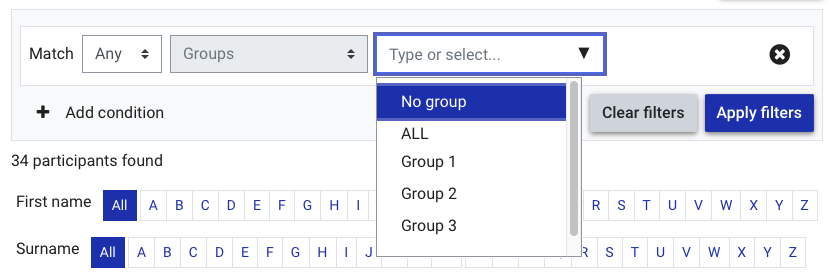
- From the Participants page, use the filter options to filter using participants by groups.
- Select a group from the drop down list. You can select multiple groups if required.
- Click Apply filters.
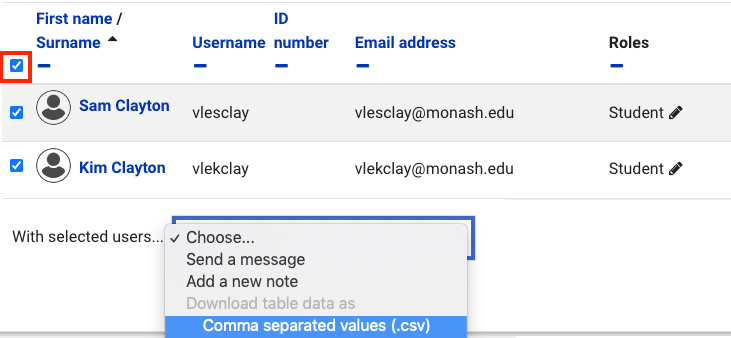
- Select all students with the checkbox in the column heading.
- With the selected users drop down list, select Download data as Comma separated values (.csv).
- You can use the downloaded .csv file as a class list. Exported class lists feature students preferred names.