
Manage email notifications
At a glance
Check and adjust your email and Moodle notification preferences so you receive messages sent through Moodle, including forum posts. Learn how to enable email notifications, manage forum notification settings and set up a daily digest to consolidate forum emails into a single message.
Jump to these sections:
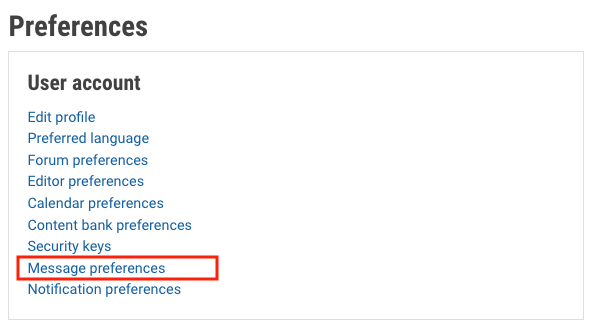
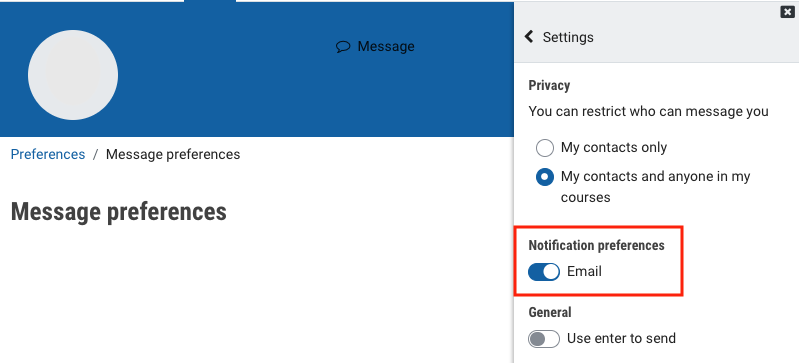
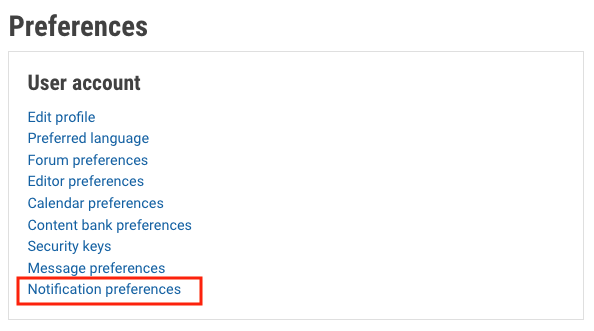
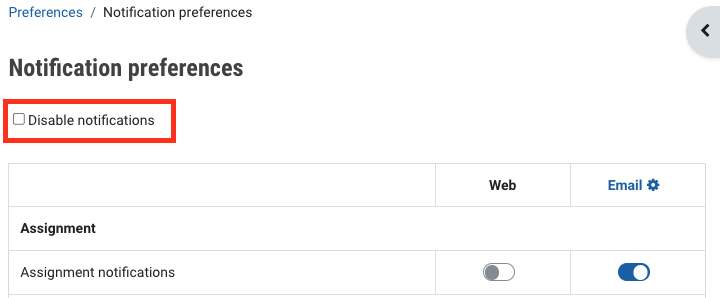
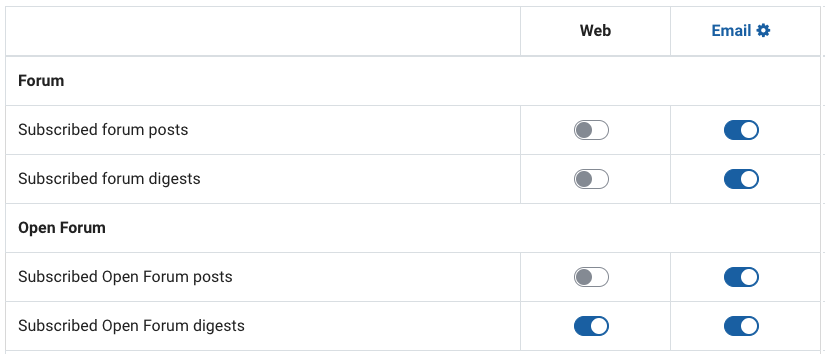
This guide covers how to check forum email notifications and set email preferences for other Moodle activity notifications. If you are not receiving email messages from the messages that are sent to you in Moodle, check your account has email notifications turned on. If you still do not receive messages, check your Forum notification preferences.
By default, you will receive separate notifications for each post made to a forum to which you're subscribed. You can also choose to consolidate forum email notifications into a daily digest that rounds up all forum notifications into one email each a day (around 5PM).
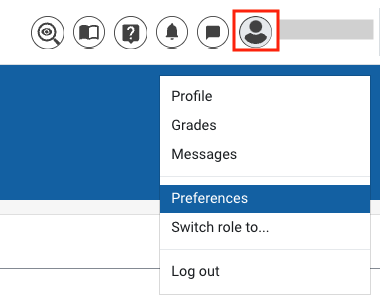
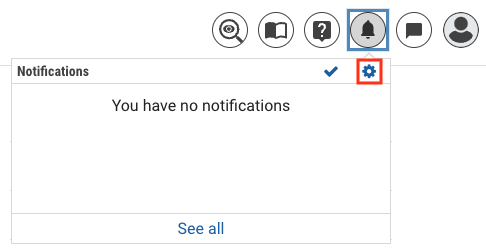
- Click on your user profile in the top right hand corner and select Preferences from the drop down menu.


Note: Any posts made in the Announcements forum will automatically send you a separate email notification, even if you have enabled daily digest notifications.