Link to Moodle
At a glance
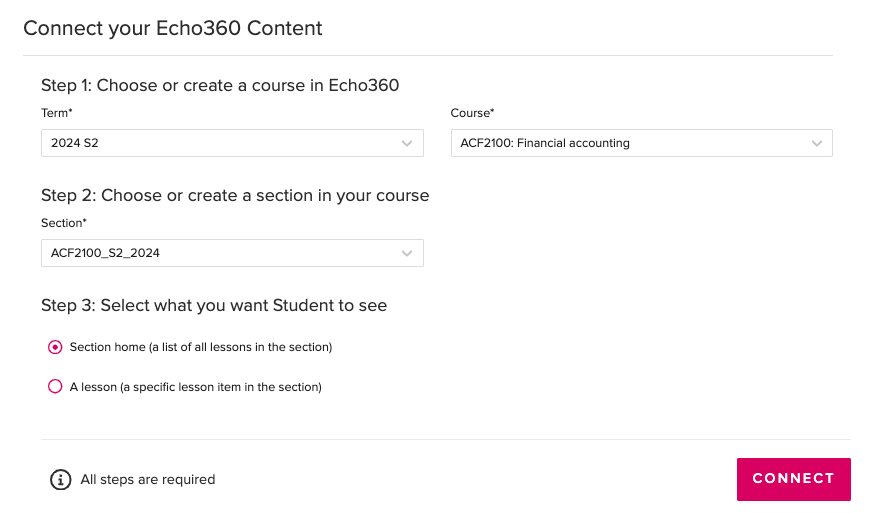
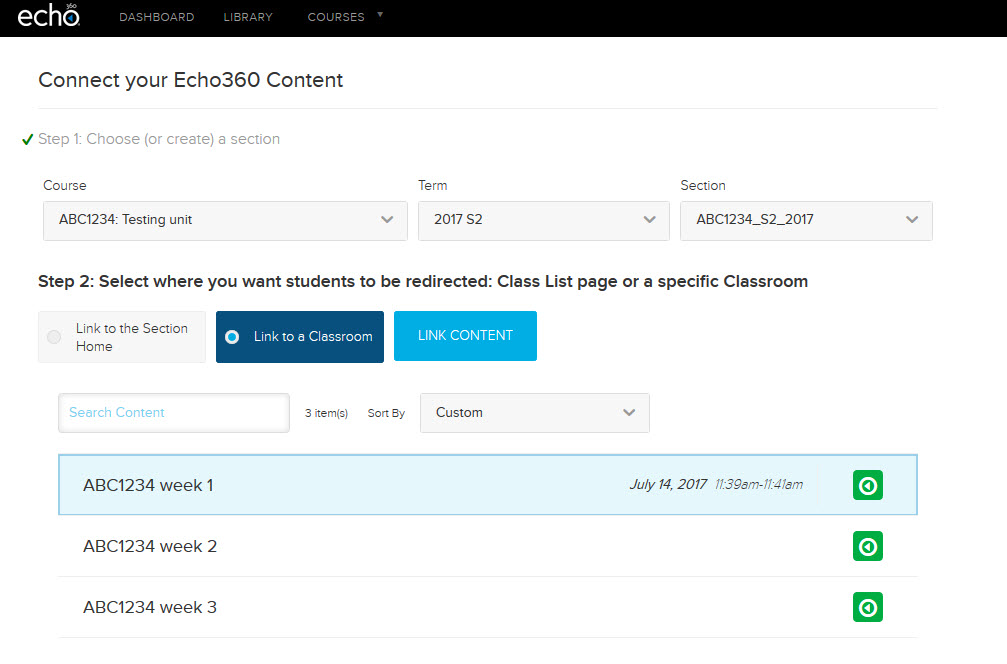
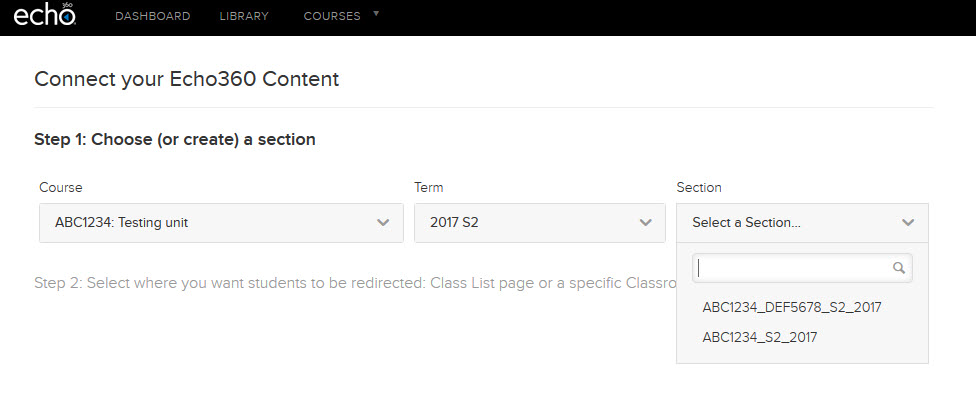
Connect your Moodle unit to Echo360 so students can access lecture recordings and live-streams. Learn how to link to a section home, link to individual classrooms week by week, and set up links for jointly taught units that share Learning Capture sections across multiple unit codes.
Echo360 Learning Capture is integrated with Moodle, allowing easy access to lecture recordings in your Moodle unit. A learning capture link will automatically be added to the Unit Information section. You will need to manually link the tool to your Moodle unit.
- Switch Edit mode ON(Blue) in the top right corner.

- Navigate to the Unit information tab.
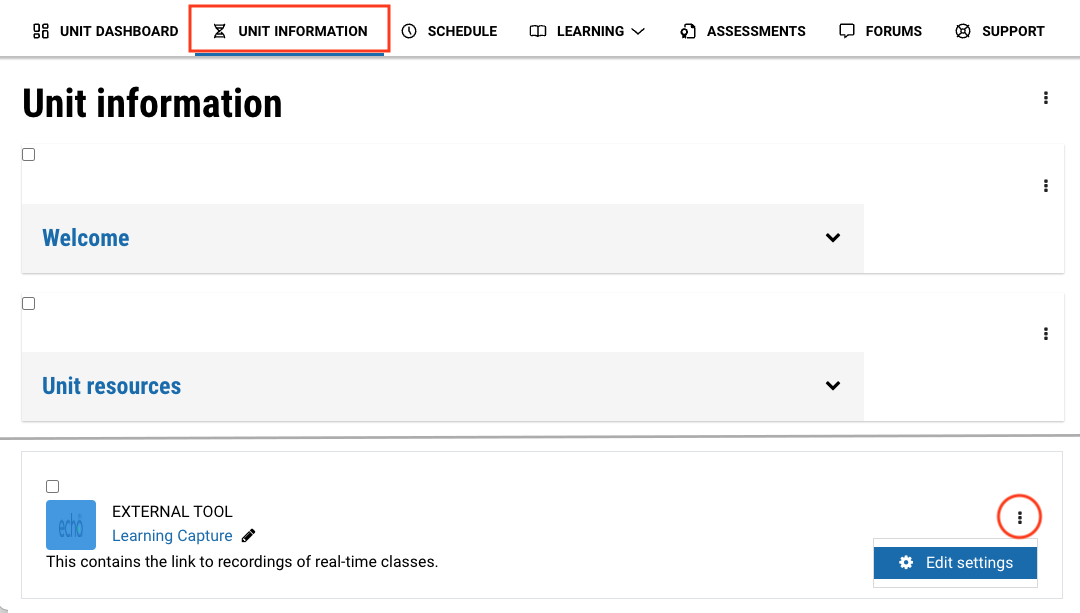
- Scroll down to the Learning capture link. Click on the three dots and select Edit settings.
- In the Monash Assessment section, select No for "Does this activity contribute to the final grade of the unit?"
- In the Special consideration section, select No for "Is special consideration available/applicable?" and No for "Is this a graded activity that contributes to the final mark?"
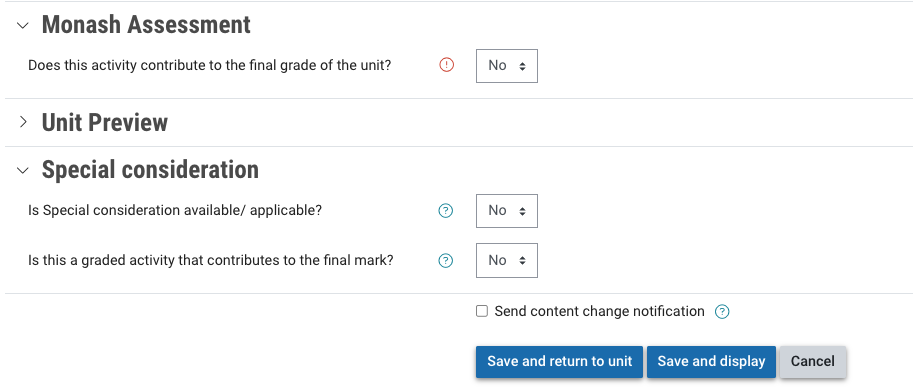
- Click Save and display.
Note: When you first click into the activity, it may seem to give an error. Once you click Save and display, when you click on the activity again, you will see the usual Echo360 linking screen.