
Reuse an existing Echo360 recording
At a glance
Republish an existing Echo360 recording from a previous semester or year so you can share it with a new class. Follow the steps to locate the recording in the Echo360 class list, create a copy and add it to a new section.
If you have existing recorded classes you would like to share with your students, you can republish an Echo recording from a previous semester or year.
- Log in to Moodle and navigate to where the link to class recordings is located in your unit, then click on the link. You should see the Echo360 class list (list of class recordings) for that unit.
- For the recording you would like to share, click on the Green Play icon and then click Create copy.
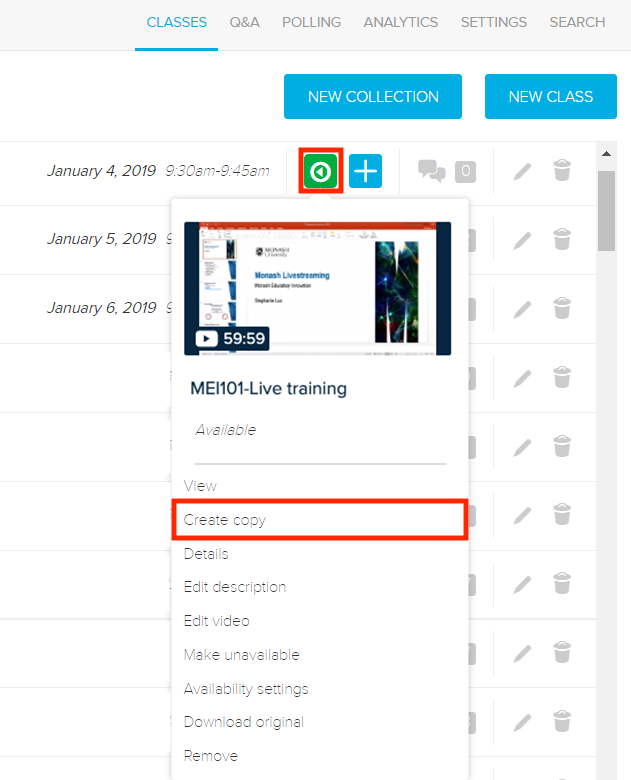
- You will receive a notice, asking to confirm you want to create a copy. Click OK. A green ‘copy successfully created’ notification will appear in the bottom right hand corner of your screen.
- Click on the Echo icon in the top left corner to navigate to the Echo Home Page.
- Under Share Settings, select the Add To A Class button. A Share settings pop-up window will appear.