
Hide or reveal grades
At a glance
Control when students can see their grades and feedback for assessment items in Moodle Gradebook. Explore how to hide or reveal grades using the Grader report or the Gradebook setup page, and understand which grade items, such as the unit total and Final exam item, cannot be unhidden by any user.
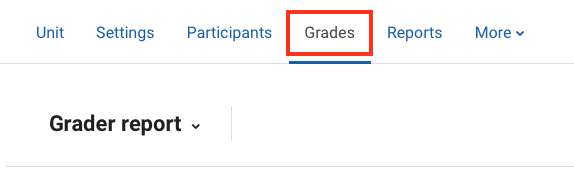
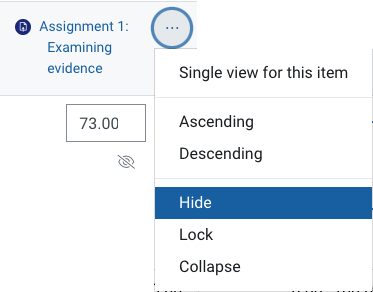
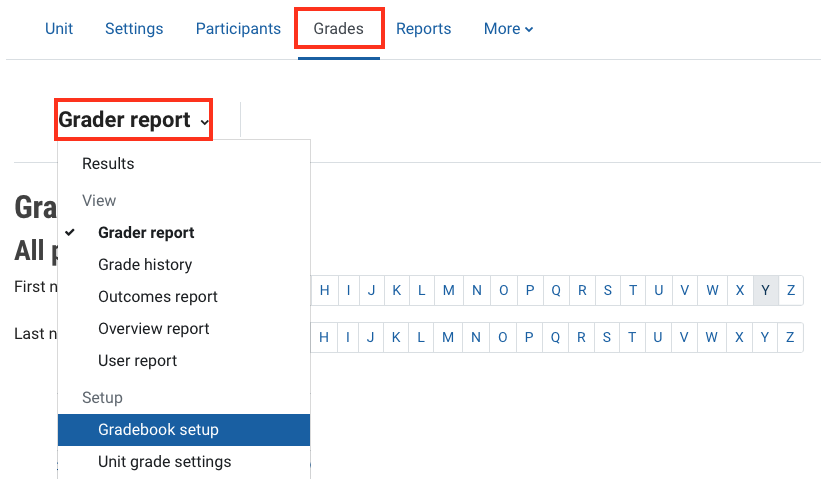
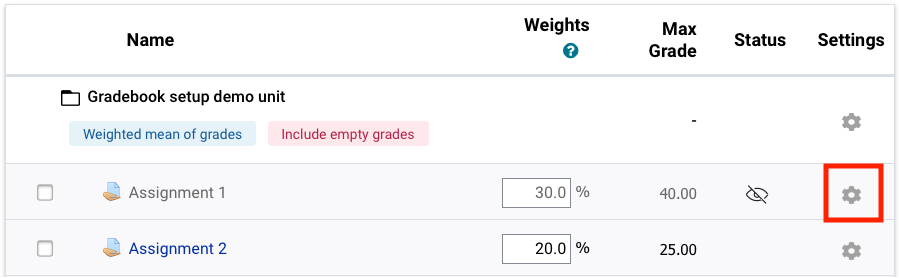
You may wish to hide or reveal grades and feedback for assessment items to students. You can do this via the grader report or the Gradebook set up page. Expand the accordions below for step-by-step instructions for each workflow.

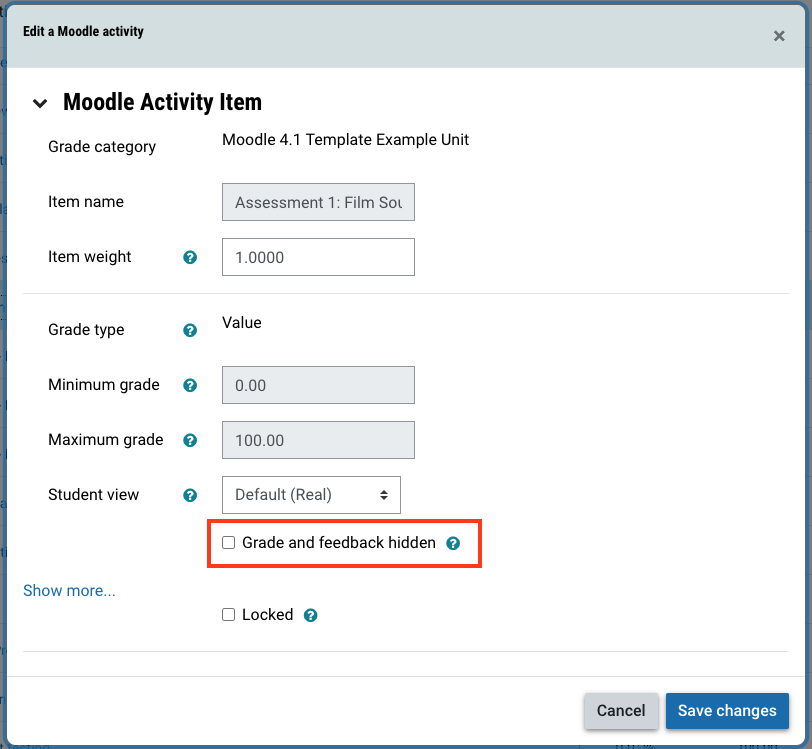
NoteThe Unit total and some grade items like the eAssessment sync grade item and the Final exam grade item cannot be unhidden by any user in the Gradebook. For some activities, whether the grade item is hidden is controlled by the activity settings. For example if the "Mark" and "Maximum mark" review options are disabled in the quiz settings, quiz grades cannot be unhidden in the grader report or gradebook set up. |