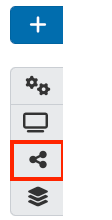
Once you have created a page, you can start adding blocks and artefacts. The icons on the right hand side menu allow you to quickly access different pages. From top to bottom:
- Blue plus icon: Add new block.
- Settings cog: Edit page settings
- Preview page: Preview your page
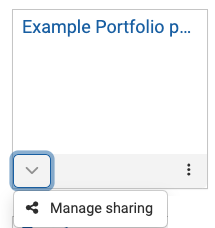
- Share settings: Manage the sharing settings for your page
- Portfolio: Return to the Portfolio page
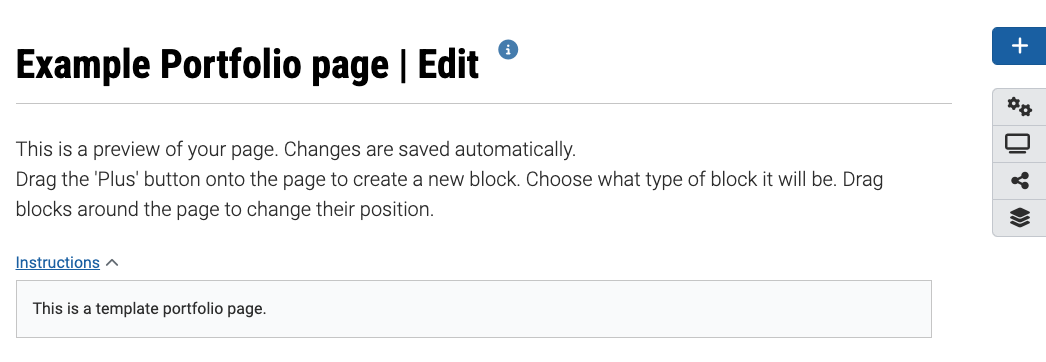
- In edit mode, you can click and drag the blue plus icon to where you would like your new block to appear
OR
Click the blue plus icon at the top of the right hand side menu. The Add new block pop-up window will appear. In Position, you can choose if your new block will be added to the top or bottom of the page, then click Add.
Note: If you do not see the blue plus icon, you may be viewing the page in preview mode. Click the pencil icon in the right hand side menu to return to edit mode.
- Give your block a title.
Note: You can leave the title blank, however if left blank you will not be able to make the block expand/retract (similar to an accordion).
- Click Show more to view additional block types. You will need to click Show more multiple times to view all block types.
Click on the plus icons below to learn more about each block type
Note: To embed videos, it is strongly recommended that you use External media instead of embedded media block type. The External media block allows you to embed videos using URL or iframes for videos that are hosted on external sources such as Youtube, Panopto, Vimeo, etc. While the embedded media block will store the video file in your ePortfolio account files (the default total size limit is 900 MB).
- Click on the type of block you would like to add.
- The block settings displayed will depend on the type of the block you have selected. Once selected the type of block cannot be changed. Instead create a new block and remove the undesired block. For instructions on how to set up all block types, see the Blocks guide.
- Click on Instructions to expand the instructions textbox and insert any guidance for students. The instructions will be expanded when students are viewing the template page in edit mode, and cannot be deleted.
- You can leave the block content blank, insert placeholder text or lorem ipsum text. Students will be able to add, remove or modify content within the blocks.
- If you have set Prevent removing of blocks to Yes, students will not be able to delete blocks. However they will still be able to adjust the size and placement of blocks.
- Click Save.
Once a block has created, you can edit it a number of ways:
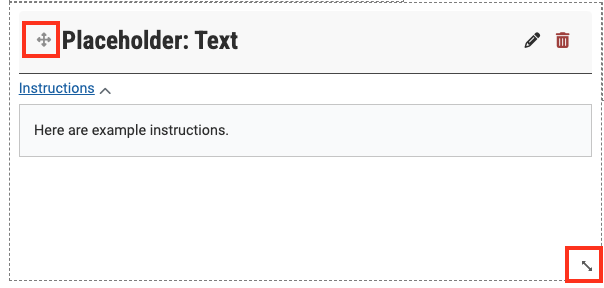
- Click the pencil icon to return to the block settings and continue editing.
- Click the bin icon to delete the block.
- Click and drag the header to adjust the placement of the block on your page.
- Click and drag the bottom left corner to adjust the size of the block. You can also click and drag the left or bottom ledge to adjust the width and height respectively.