Common assessment scenarios
Best practice for common assessment scenarios
Explore the following best practice solutions for several commonly encountered scenarios when setting up and managing assessments on Moodle.

Explore the following best practice solutions for several commonly encountered scenarios when setting up and managing assessments on Moodle.
Assessment types where there is a scaffolding resource, such as an online lesson to be completed before it launches into the assessment prep. For exmaple, group work ePortfolio.
Students complete a 100% single project based assessment with multiple milestone points. For example, building a website where the website is worth 100% and handed in at the end of the unit. However the student submits multiple iterations of the website as milestones for feedback throughout the unit.
Note: Due dates will still display on the dashboard for un-weighted activities.
Students complete a thesis over two units and only receive a grade when they submit their work at the end of the second unit. The work they submit in the first unit is still valid, and there is still ‘assessment’ content that they need to access but because the Gradebook setup is 0% and they are not awarded a grade/mark, nothing appears in the assessments tab in the first unit.
Given the specific challenge presented in this scenario, it is advised that you use the Project template and hide the Assessment section. Assessment items can still be created as usual in the Learning sections. They will still be visible in the Learning sections and Unit Dashboard.
Please note: Use of the Project template will result in assessments not being automatically populated to the Schedule tab
Key assessment information such as learning outcomes and weightings are displayed on the Assessment Summary table at the level of handbook assessments, but not at the level of individual assessment items. If you want to show these details for individual assessment items, follow these steps.
When a Moodle unit has multiple cohorts attached, the Assessment page dynamically generates assessment sections for each assessment item from CourseLoop in the order courses are listed in the Callista block. Depending on if multiple cohorts have the same or different assessment regimes, there are different approaches for managing the assessment sections.
For more information, see Manage Assessment sections for multi-cohort units.
Oral presentations and other forms of individual assessment often take place over a period of one or two weeks, where individuals or groups are asked to present at random or with little notice. As such, the individual presentations have no fixed due date.
Please note: The following solution may cause additional challenges in regards to individual extension dates.
The activity/assessment needs to have separate due dates for each student/group without being replicated/multiple versions displayed in the assessment section.
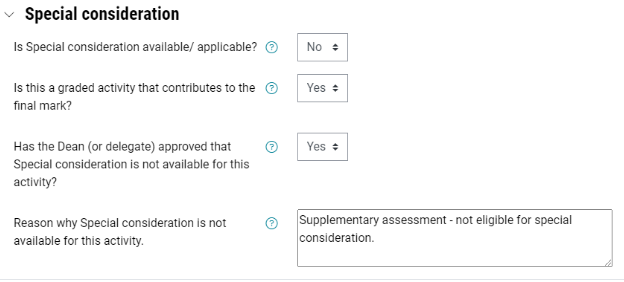
The unit requires the creation of a supplementary assessment that only appears on the Assessment summary table of students who are eligible. For more information, see Supplementary assessment.