Microsoft suite: Examples in use
Microsoft 365
Microsoft 365 is a cloud-based subscription service that provides users with the productivity applications such as word processor (Word), spreadsheet (Excel), presentation application (PowerPoint) and other tools. Monash offers access to Microsoft 365 and Teams using authcate*.
The cloud-based applications provide collaborative functionality, where multiple people can access the same documents at the same time. Files automatically save at frequent intervals and it's possible to track individual edits and access edit history.
In addition, the Microsoft 365 applications can be used on multiple devices and synced so that you can access your work from anywhere.
How do I use Microsoft products to teach online?
Microsoft Office
- The standard document apps (Word, Excel, PowerPoint) are useful for allowing students to work collaboratively synchronously or asynchronously. The synchronous function is only available in the cloud version and not on the desktop version.
OneNote
- In terms of core functions, OneNote shares many similarities with Google Docs, which allows you to create collaborative space for students to work in groups or pairs or establish brainstorming space for whole class activities, such as collective research.
- OneNote’s collaboration tools allow students to compare notes with each other.
- Educator has access to personal notebooks and can provide students with guided notes offering more help for those students who need it.
Teams
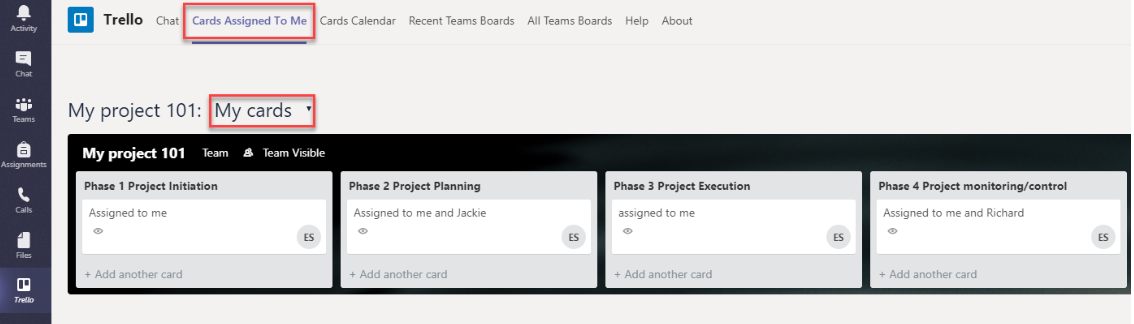
- Microsoft Teams is a communication and collaboration tool that supports synchronous web meetings with video/audio, screen sharing and whiteboard, asynchronous discussion, file sharing, and it supports the integration of a wide range of external web apps and tools.
 |  |  |  |
| Using Teams | Using OneNote | Using Excel | Using PowerPoint |