Across the country, COVID-19 has meant teachers have been forced to deliver remote learning for their students. It’s meant longer hours, new methods of teaching and a steep learning curve for families, educators and students, but what has worked the best?
We checked in with our Monash education alumni and asked them to share their experiences, and wisdom.
Getting the most out of your conference calls to students
Zoom or online hosting platforms can offer benefits to teachers that are not available in classrooms, such as private one-to-one interaction via chat or break-out rooms, says VCE Hebrew teacher at the Victorian School of Languages, Yehuda Kaplan.
“I find students are more inclined to ask questions via chat than they would be in class, so as not to appear overly engaged or plain silly,” he says.
“I find online classes more productive, as students find it harder to ‘fly under the radar’ as they may be able to in class.”
Grade 2 teacher at Doncaster Gardens Primary School Caitriona Dempsey, uses Zoom to have a daily circle time to maintain connection, usually 5-10 minutes.
“Each student gets a chance to share their ideas. They are allowed to pass, but can’t pass two days in a row. The questions are usually really simple like: How are you feeling today? Would you rather breathe underwater or be able to fly? What are you looking forward to on the weekend?”
Video content
Amelia Mellor is a graduate English and Humanities teacher who works at Bright P-12 College in Bright, Victoria. She says it’s been an overwhelming experience getting classes online, with a ‘phenomenal number of hours’ going into the program but that video has been a great success.
She has created dynamic blackboard videos using a chalkboard wall she’s got set up in her home office.
“I’ve had lots of positive feedback, especially from students who struggle with literacy. I try to make them fun and somewhat interactive. The kids request drawings, and I include the requests in the video.
She says the videos will help for revision, vary methods of content delivery and help her students feel like she is still there, reaching out.
“You can’t rely on written instructions alone. If I didn’t have the wall, I’d be writing notes and drawing on a big pad.”

Video tutorials ease the way
Using video tutorials has helped the teaching team at Parktone Primary School reduce pressure on students, staff and parents, Grade 2 teacher Laura Carolan says.
“As a team, we have worked collaboratively to plan lessons and also create video tutorials which show exactly how to complete the activity, using the same resources students were provided with at the end of term.
“This has allowed us to be really clear and consistent in our expectations and has also hopefully enabled students to be more independent in completing work as they can watch our videos rather than asking their parents or siblings to explain what they need to do."
Understanding that remote learning is different to a face-to-face classroom environment
Classrooms rely heavily on physical, visual and verbal cues that don’t translate easily to an online environment, says David Nguyen, Years 7-11 English, Humanities and Vietnamese teacher at Braybrook College in Victoria.
“Live conference calls can be a nightmare. Delayed feeds, tech problems and slow response times can lead to awkward moments, with students talking to a muted microphone and not realising it.”
It is difficult for students to contribute and know how to take turns speaking, so David suggests using the ‘raise hand’ button, muting microphones and using the chat functions to reduce the chaos.
“Remember not to dominate the conference call. With students having to sit through a whole day of conference calls, you’re the last thing they want to see and hear, especially if you are running an afternoon class.
“Set tasks they can work on their own, without being stuck in a call. Your students will appreciate it.”

Short tasks support students
According to year 7 supported transition teacher from Melbourne Indigenous Transition School, Isabelle Scheider, short tasks support her students with extra language, learning and numeracy needs, as well as those who are struggling with technological literacy or are in disadvantaged environments.
“I’ve found that short tasks with minimal click throughs and log-ins have had the most success.”
These include platforms like Padlet, Ed Puzzle and Survey Monkey.
“At the beginning of the day I send my student and their support person a checklist with an expected timeframe for each task. The ones that take 20-30 minutes are the ones that get the most care and attention.”
"The timeframe includes any supplementary materials like watching a video or reading a piece of writing," she says.
The use of voice memos for feedback is something many teachers are embracing
“I leave feedback for my junior students using voice memos on SeeSaw,” says graduate STEM and visual art teacher Scott Ho working in Melbourne.
“They love hearing my voice and I love hearing theirs.” He adds, "they are going to start using Google Hangouts to do video calling for class."
Emma Morgan is a teacher who was well prepared for online teaching using Office 365. “I already had a team for my classes set up, and I’m using the audio function in OneNote to leave little bits of verbal feedback for my students.”
Laura Carolan says she’s loved being able to give voice recorded feedback.
“This has been great as students do not need to ask for support in reading or understanding the feedback, and they also love hearing their teacher’s voice.”
Traffic light system to monitor engagement
Isabelle Schneider says that her school has developed a system to monitor student activity and engagement.
“We get a pretty accurate view of who needs extra support throughout the week. At the end of the day we group students as green, amber or red based on their completion of learning, engagement with tasks and contact.
“If a student is ‘red’ it means they have not attended. This has helped us have data we can cite directly when we contact support people if a student is struggling to maintain the workload.”
Switching off and taking breaks is an important form of self-care
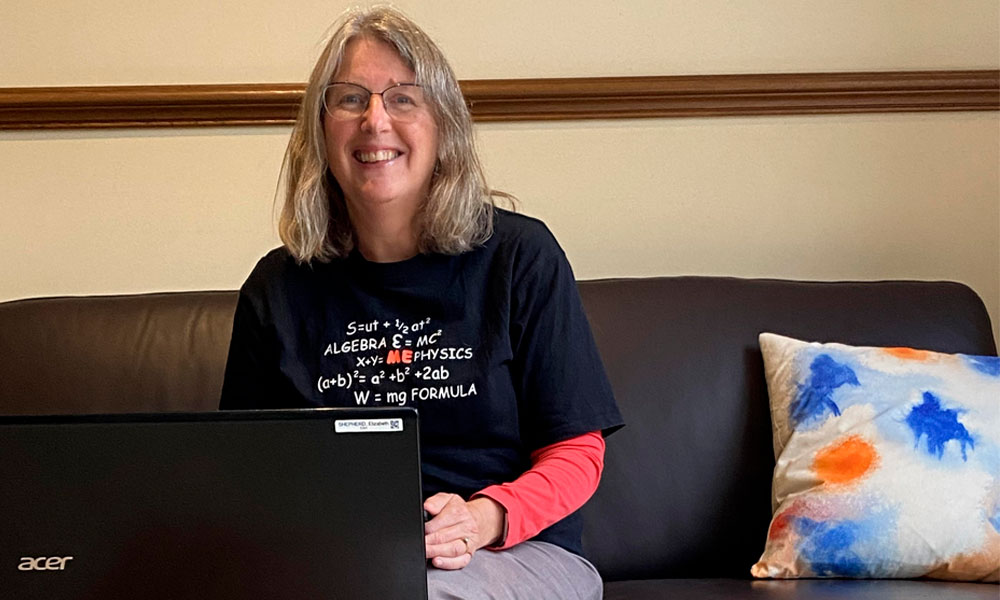
Elizabeth Shepherd is a maths teacher from Canterbury Girls Secondary School who has researched the impact of mindfulness in the classroom. She says she misses the interaction with students and colleagues, even the myriad of feedback she receives from her students.
“Working remotely is far more time consuming than teaching face-to-face and it’s hard to switch off. To keep well, we take every opportunity and every bit of sunshine to go outside and walk.” Elizabeth has also scheduled a daily group video call with family to stay connected with her 90-year-old mother. “We all do The Age quiz together.”
For graduate teacher Blake Cutler, who is working in rural NSW, it’s about taking time out from the screen. “One day I sat at the screen 8am-5pm, answering questions online. But the next day I was so drained I struggled to get out of bed.
“We are in this for the long haul, so take your lunch break, do some exercise and log off. These online lessons can only happen if you look after yourself.”
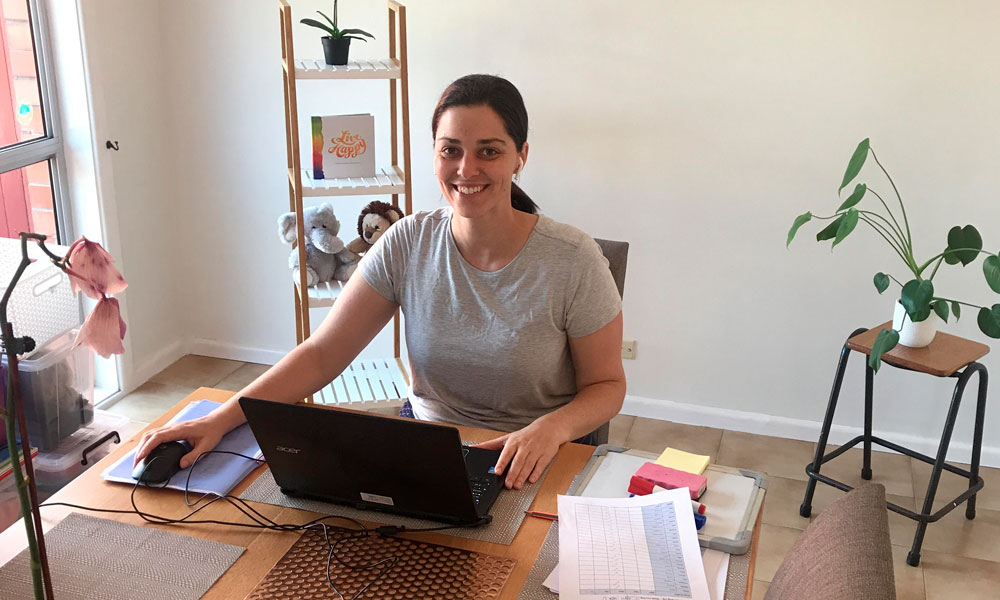
Nicole Lowe is Grade 5 teacher at Parktone Primary School and says working from home has definitely had some ups and downs. “What has worked most for me is having a comfortable set up with lots of natural night and a daily routine.”
“I love walking to the local coffee shop for a much-needed hit of caffeine at recess time,” she said.
The importance of teamwork because the technological learning curve is steep
Amelia Mellor says working in a small school in alpine Victoria has helped the teaching team and community pull together.
“We decided early on that we would all use the same tools and platforms. Teaching in a small community like ours is great because we’re able to work closely as a team, as well as with the school community.”
Elizabeth Shepherd acknowledges the shift to use technology in different ways has been both challenging and rewarding.
“We are using MS Teams, and are all on a steep learning curve. For maths, the document camera is a life-saver to be able to answer questions and show working in real time.”
Teachers need to be kind to themselves as they learn new things, advises Mary-Clare Relihan, a teacher turned teacher educator at Monash Education.
“Even though we may have lots of expertise as teachers, we have all become apprentices in our new context of remote teaching and learning.”
A chance to share knowledge
Blake Cutler says sharing ideas and tech tips has given him a chance to connect with other teachers in his new school.
“Don’t be afraid to share your expertise. It’s an unusual situation where graduate teachers and experienced teachers are on the same level.”
He also adds it has been important for him not to compare what other schools are doing. “Every school has different resources. In the first week of online teaching, I’d look at what other schools were doing and felt I was failing my students.
“It took time to realise that I know my students best, and know what they will respond to. It doesn’t matter how flashy it looks.”
Connecting with students, and parents
COVID-19 has changed many things about education, but what is hasn’t changed is the importance of connecting to students, and parents, says Laura Carolan.
“Empathy is key. What we are facing is unprecedented and very overwhelming for working parents trying to juggle their own work, plus supporting their students with school tasks.
“With that in mind, don’t be afraid to pick up the phone and talk to parents and students if you are worried. Sometimes it is actually much easier than trying to type and email as you gauge how the family is feeling.
“Choose kind, always.”
Laura also says that she tries to keep up a sense of normality for her students.
“In my classroom, I always share stories about my dog so I have continued doing this online, which has been lots of fun for them, and me.
“In return, I have also had some great dog videos and photos sent back to me, so it’s been a great way to engage with everyone.”