1. How do I verify an IELTS test result for an applicant?
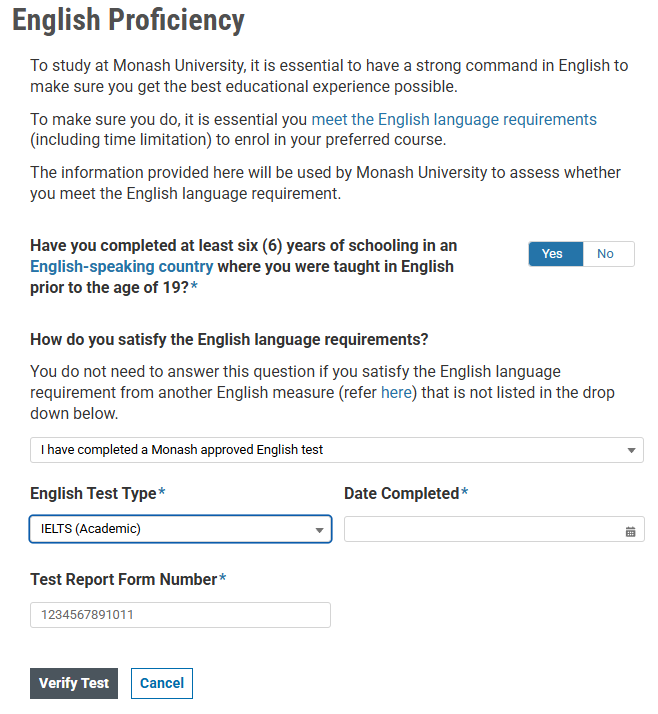
In the English Proficiency section of the Agent Portal:
- Select "The applicant has completed a Monash approved test"
- Choose the relevant IELTS test type (such as IELTS (Academic), IELTS Online (Academic) or IELTS One Skill Retake (Academic))
- Enter Test Report Form Number
- Click "Verify Test"
2. What does the verification validate?
- First Name
- Last Name
- Date of Birth
- Test Report Form Number
- Test scores
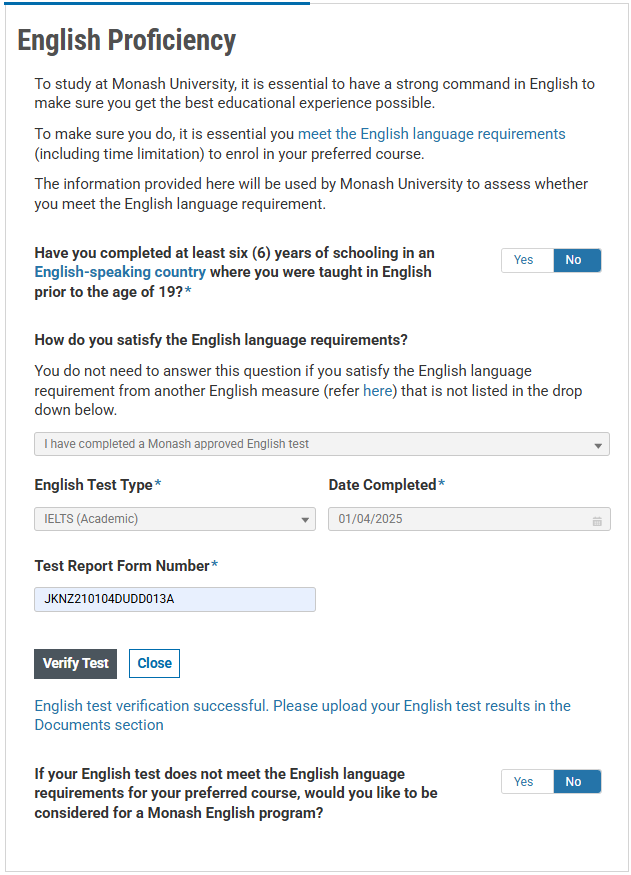
3. What if IELTS verification is successful?
- Scores auto-populated (read-only)
- Display message: "English test has been verified successfully, please upload the English test result."
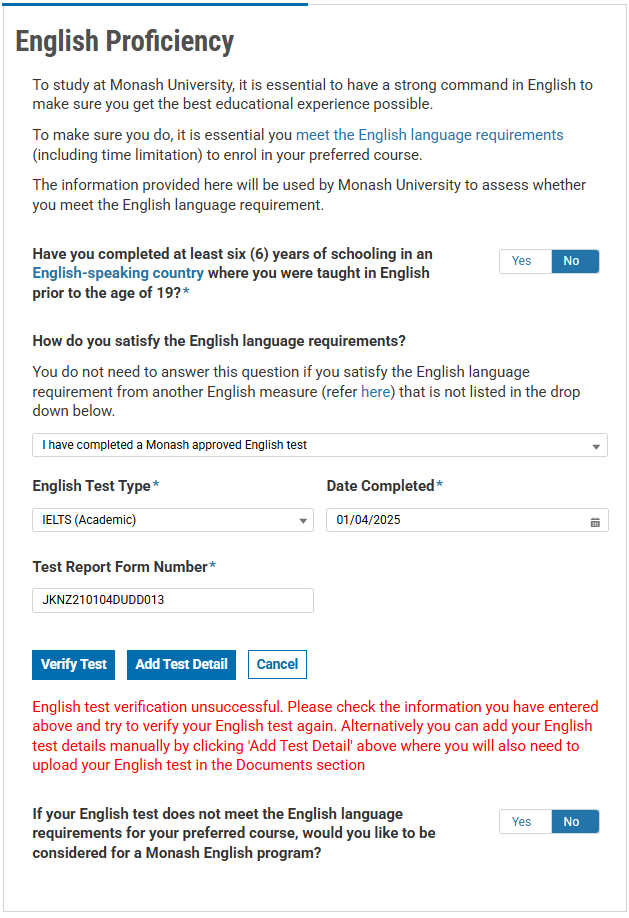
4. What if verification fails or is not attempted?
- Fields become editable for manual score entry
- Message: "English test verification unsuccessful. Please check the information you have entered above and try to verify your English test again. Alternatively you can add your English test details manually by clicking 'Add Test Detail' above where you will also need to upload your English test in the Documents section. "
5. Can IELTS be re-verified in the Supporting Documents section?
No. This feature has been removed to simplify the process.
6. How many English tests can an agent add?
Only one. Supporting multiple entries is planned for future release.
7. Is an uploaded document of the IELTS test still required?
Yes. Even with successful verification, the IELTS test result must be uploaded in Supporting Documents.
8. Is the English Proficiency question mandatory?
- Not mandatory to answer how the applicant satisfies the English language requirement
- Not mandatory to answer if the applicant would like to be be considered for Monash English program however international students are to be encourage to answer this question

